
When is WooCommerce the Wrong Choice for Your Business?
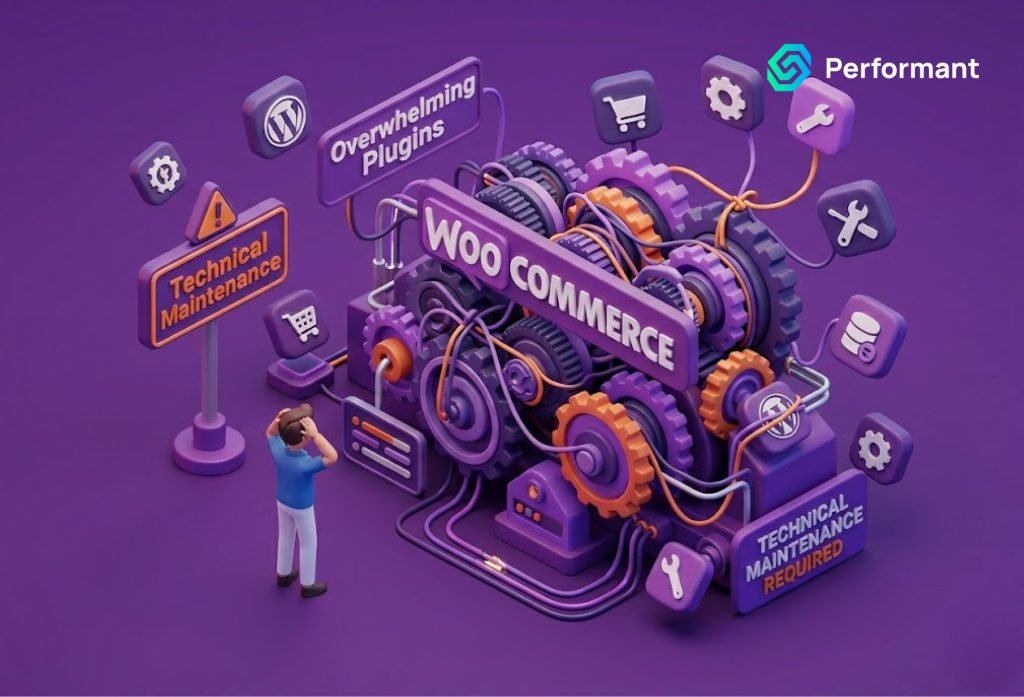
The Honest Conversation Most Agencies Avoid WooCommerce is an impressive piece of software. It has earned its position as one of the most widely deployed eCommerce platforms in the world through genuine capability, a flexible, extensible architecture that can be configured to handle an enormous range of commercial requirements. For the right business in the right circumstances, it is an excellent foundation. But it is not the right foundation for every business. And the conversation about when WooCommerce is the wrong choice rarely happens with the clarity it deserves. Most WooCommerce development services providers agencies and independent developers alike have an obvious commercial interest in recommending the platform broadly rather than calibrating their recommendation to the specific needs of each client. This article is written for business owners who are either evaluating WooCommerce as a platform for a new store, or who are currently operating on WooCommerce and are beginning to suspect that the platform may be constraining rather than enabling their growth. The goal is not to dismiss WooCommerce as it has real and significant strengths but to be honest about the circumstances in which those strengths do not outweigh its costs and complexities, and where a different platform would serve the business better. Understanding What WooCommerce Actually Is Before examining its limitations, it is worth being precise about what WooCommerce is, because much of the confusion around platform selection stems from a misunderstanding of its nature. WooCommerce is not a standalone eCommerce platform. It is a plugin for WordPress, the world’s most widely used content management system. This distinction is commercially significant. When you build a store on WooCommerce, you are not simply choosing an eCommerce platform. You are choosing to operate your store within a WordPress environment, which means inheriting WordPress’s architecture, its hosting requirements, its security profile, its update cadence, and its operational characteristics alongside WooCommerce’s own. This is neither good nor bad in the abstract. WordPress is powerful, and for businesses whose eCommerce operation is deeply integrated with a content strategy where editorial publishing, SEO content production, and commerce are genuinely intertwined the WordPress foundation delivers capabilities that pure eCommerce platforms cannot match natively. For businesses whose primary operation is commerce rather than content, however, the WordPress layer adds complexity without a commensurate return. The correct question is not whether WooCommerce is a good platform. It is whether WooCommerce is the right platform for your specific business model, operational requirements, and growth trajectory. When the Self-Hosted Model Works Against You The defining characteristic of WooCommerce is that it is self-hosted. Unlike Shopify or BigCommerce, which host your store on managed infrastructure and take responsibility for server performance, security patching, and platform updates, WooCommerce requires you or someone working on your behalf to manage the hosting environment your store runs on. For businesses with genuine technical resources and a specific reason to require the control that self-hosting provides, this is an acceptable trade-off. For the majority of business owners who simply want a reliable, high performing online store without the operational overhead of infrastructure management, it is a burden that grows progressively heavier as the store scales. Hosting a WooCommerce store that performs well at meaningful traffic volumes is not a matter of choosing a cheap shared hosting plan and pointing your domain at it. It requires a correctly provisioned server environment, appropriate caching configuration, a content delivery network, database optimization, and ongoing monitoring. As your store grows in product count, traffic volume, and transaction frequency the hosting requirements grow with it. Each growth milestone brings a new infrastructure decision, a new cost, and a new opportunity for performance degradation if the decision is made incorrectly. Businesses that have invested in professional WooCommerce development services to build and maintain their stores over multiple years often find that the hosting and infrastructure management component of their total platform cost grows disproportionately as the store scales becoming a meaningful operational overhead that a managed platform like Shopify would handle automatically and at lower effective cost. The Plugin Dependency Problem WooCommerce’s extensibility through plugins is frequently cited as one of its primary advantages. The plugin ecosystem is vast, covering virtually every conceivable eCommerce function. And for businesses with standard requirements, this ecosystem provides quick, affordable access to functionality that would otherwise require custom development. The problem is structural rather than incidental: a WooCommerce store’s capability is only as reliable as the plugins it depends on. Each plugin added to the stack is a dependency on the plugin developer’s maintenance commitment, on their compatibility with WooCommerce core updates, on their security practices, and on their continued commercial viability. Plugin developers discontinue products, change pricing models, fall behind on compatibility updates, and introduce vulnerabilities. Any of these events can affect a store that depends on their software. More practically, plugin conflicts are a persistent operational reality for mature WooCommerce stores. As the plugin stack grows and it does grow, organically, as new capabilities are added over time the interactions between plugins become increasingly complex and unpredictable. A WooCommerce core update that a plugin developer has not yet accommodated can break a store’s checkout. A security patch applied to one plugin can introduce a conflict with another. Diagnosing these conflicts requires technical expertise and time that most business owners do not have available, and the cost of resolving them through a developer adds up materially over the course of a year. For businesses running stores with fifteen or more plugins which is not unusual for a mature WooCommerce installation the collective maintenance burden of the plugin stack represents a significant and largely unavoidable ongoing cost. This is a circumstance where the economics of a managed platform, which handles these compatibility and maintenance responsibilities internally, begins to compare favorably. When Your Team Cannot Support the Technical Demands WooCommerce rewards businesses that have access to capable technical resources either a skilled internal team or a reliable external development partner. It does not reward businesses that do not. The gap between what WooCommerce can
Migrating From WooCommerce to Shopify: Technical Pitfalls to Avoid
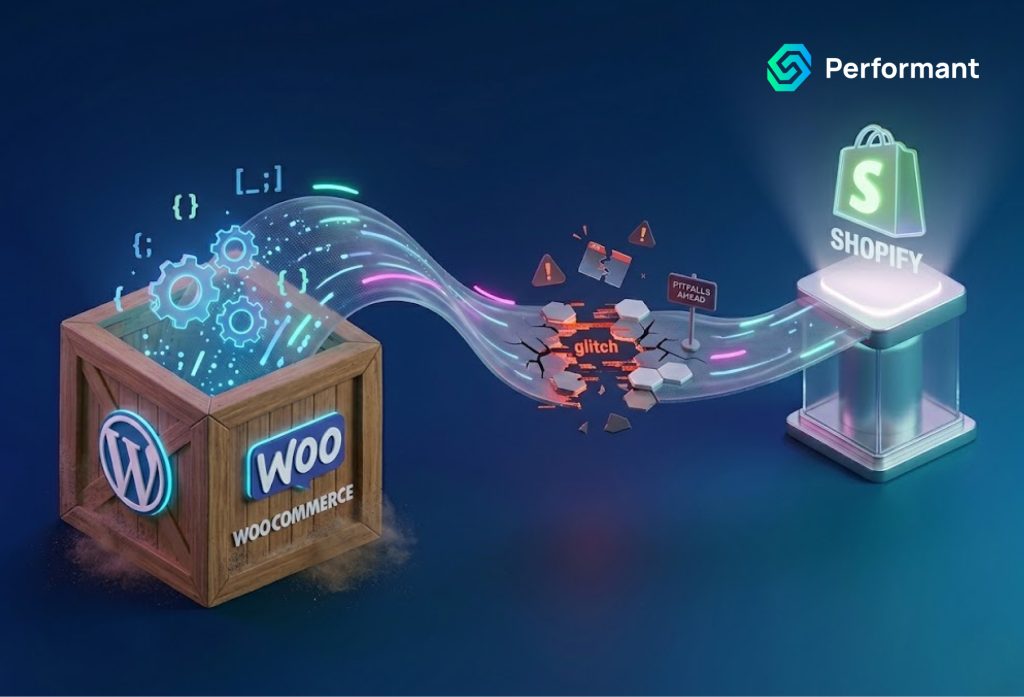
The Migration Decision That Demands Respect Migrating an eCommerce store from one platform to another is one of the most consequential technical undertakings a business owner can authorize. It touches every layer of your operation: your product catalog, your customer data, your order history, your SEO authority, your payment infrastructure, your third-party integrations, and the daily experience of every customer who visits your store. Done well, a migration from WooCommerce to Shopify often supported by experienced woocommerce development services during the transition phase can unlock meaningful improvements in performance, scalability, and operational simplicity. Done carelessly, it can erase years of search engine equity, fragment your customer database, and create technical debt that costs more to repair than the migration itself. The decision to move platforms is rarely made lightly. Business owners who reach this point have typically spent months, sometimes years, wrestling with WooCommerce’s complexity managing hosting infrastructure, maintaining plugin stacks, troubleshooting conflicts, and absorbing the ongoing developer cost of keeping a self-hosted platform operational at scale. Shopify’s managed infrastructure, predictable pricing, and streamlined operations represent a genuinely compelling alternative. But the path between those two platforms is not a simple data transfer. It is a technical project with real risk at every stage, and the pitfalls are specific, well-documented, and entirely avoidable with the right preparation and the right expertise. This article addresses those pitfalls directly, so that business owners can approach the migration with clear eyes and make decisions that protect their commercial interests throughout the process. Why This Migration Is More Complex Than It Appears The surface-level narrative around WooCommerce to Shopify migration sounds straightforward: export your data, import it into Shopify, configure your new store, redirect your domain. In practice, the gap between that narrative and the reality of a well-executed migration is where most of the risk lives. WooCommerce is built on WordPress, a self-hosted, open-source architecture that gives merchants complete control over their data structure. Over time, that flexibility tends to produce stores with highly customized database schemas, plugin-generated data fields, and content structures that do not map cleanly to Shopify’s more standardized data architecture. The divergence between how WooCommerce stores data and how Shopify expects it is the root cause of most migration failures. Customer data is a prime example. WooCommerce stores customer information in WordPress’s user tables, with order history linked through custom post types and meta fields. Shopify organizes customer data differently, with distinct structures for customer profiles, addresses, order associations, and account history. A direct export and import without careful data mapping will result in broken customer records, lost order associations, and a customer database that looks populated but behaves incorrectly. This is precisely the kind of complexity that makes professional guidance essential. Business owners who have invested in WooCommerce development services to build and maintain their store over the years often underestimate how custom their data structure has become and therefore how much careful work is required to move it cleanly to a new platform. Pitfall One: Treating SEO as an Afterthought Of all the risks associated with a WooCommerce to Shopify migration, SEO loss is both the most common and the most commercially damaging. Organic search traffic built over years can be significantly impaired within weeks of a poorly executed migration, and recovering it is a slow, uncertain process. The core issue is URL structure. WooCommerce, running on WordPress, typically generates URLs based on your permalink settings structures like: /product/product-name/, /shop/category/product-name/ or entirely custom paths configured through plugins. Shopify enforces its own URL structure: /products/product-handle, /collections/collection-handle, /pages/page-handle. These two structures rarely align. When a URL changes without a corresponding 301 redirect, every inbound link pointing to that old URL from other websites, from social media posts, from email campaigns, from Google’s own index loses its value. The page authority, the ranking signals, the accumulated link equity built over years: all of it is effectively abandoned if redirects are not implemented comprehensively and correctly. A thorough redirect strategy requires crawling the entire existing WooCommerce store before migration, cataloguing every URL that carries search traffic or inbound links, mapping each to its corresponding Shopify URL, and implementing those redirects through Shopify’s redirect manager or a dedicated redirect app before the new store goes live. This is detailed, methodical work but it is the difference between a migration that preserves your organic traffic and one that destroys it. Beyond URL redirects, metadata migration deserves equal attention. Every product page, collection page, and content page that ranks in search results does so partly because of its title tag, meta description, and on-page content. These elements need to be migrated accurately, not left to auto-generation or default Shopify templates. Pitfall Two: Incomplete or Corrupted Product Data Migration A WooCommerce product catalog that has grown organically over years is rarely as clean as it appears on the storefront. Behind the scenes, there are likely custom meta fields added by plugins, product attributes structured specifically for WooCommerce’s variation system, custom taxonomies created for filtering, and image data stored with WordPress-specific path references. When this data is exported via WooCommerce’s native CSV exporter and imported into Shopify, significant information is routinely lost or corrupted. Product variants are a particularly common failure point. WooCommerce handles product variations through a specific attribute and variation system that differs structurally from Shopify’s variant model. A product with multiple attributes size, color, and material, for example mapped across dozens of variants, requires careful data transformation to migrate correctly. Automated migration tools handle straightforward cases reasonably well. Complex variation structures, products with more than three option types, or variants with custom pricing logic require manual intervention and verification. Image migration compounds the issue. WooCommerce stores product images in WordPress’s media library, with references stored in the database as attachment IDs rather than direct URLs. A migration process that does not correctly resolve these references will produce products with missing or broken images, a problem that is often not fully visible until after the store goes live, when the commercial damage is
Custom WooCommerce Reporting: Why Default Analytics Fall Short
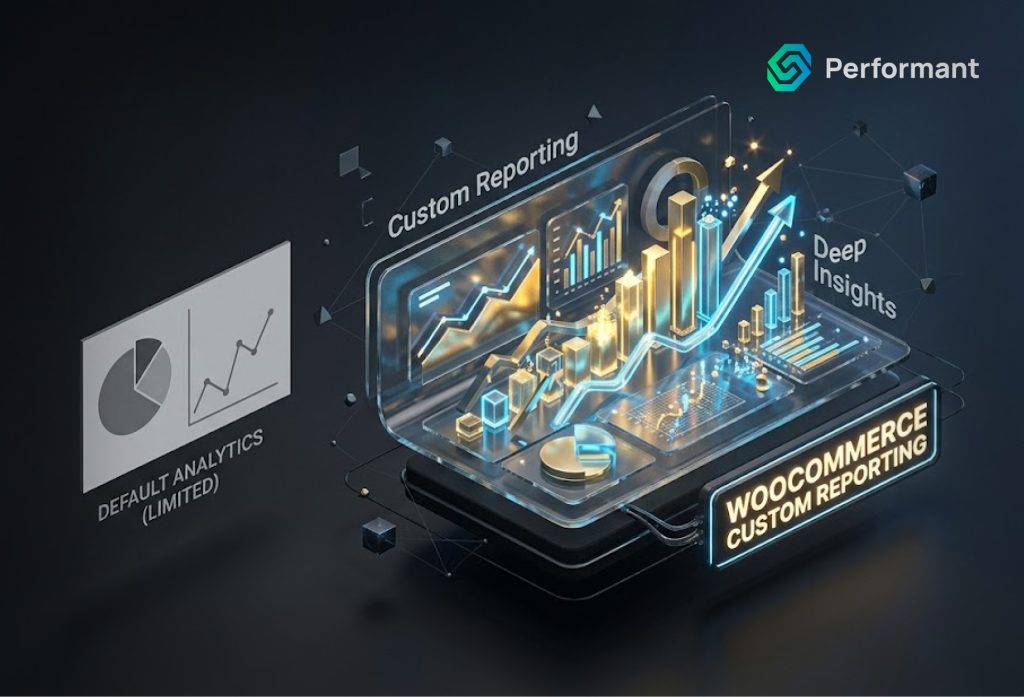
Running an eCommerce business today demands more than gut instinct. Every pricing decision, every marketing investment, every inventory call carries financial consequences and the quality of your decision-making is only as strong as the quality of data behind it. Yet thousands of business owners operating on WooCommerce are making critical decisions based on reports that, by design, were never built for serious commercial use. WooCommerce is a powerful platform. It has earned its place as the world’s most widely used eCommerce solution, powering over 6 million online stores. Its default analytics dashboard gives you the basics: total revenue, order counts, top products, stock status. For a store just getting started, that may feel like enough. But as your operation scales as your product catalog deepens, your customer base diversifies, and your marketing channels multiply those default numbers stop telling you what you actually need to know. This article is for business owners who have outgrown surface-level analytics. It examines precisely where WooCommerce’s native reporting falls short, what that costs you in real business terms, and why investing in custom reporting solutions through professional WooCommerce development services is not a luxury but a strategic necessity. What WooCommerce’s Default Analytics Actually Gives You Before criticizing the tool, it is only fair to understand what it was designed to do. WooCommerce ships with a built-in analytics module that covers several standard dimensions: Revenue and orders total sales, net revenue, average order value, and order volume over selectable date ranges. Products Top selling items by quantity and revenue, with basic stock information. Customers New versus returning customer counts, and a rudimentary customer list. Categories and coupons performance breakdowns by product category and coupon code usage. For a store generating a few thousand dollars a month with a handful of SKUs, this is a serviceable overview. The moment complexity enters the picture multiple sales channels, seasonal demand patterns, multi-tiered pricing, subscription products, B2B accounts, or regional performance differences the default reports become not just insufficient, but actively misleading. The Six Critical Gaps in WooCommerce’s Native Reporting 1. No True Customer Lifetime Value Analysis Default WooCommerce analytics can tell you how many customers placed orders this month. What it cannot tell you is the long-term revenue value of those customers. Customer Lifetime Value (CLV) is arguably the single most important metric for any eCommerce business because it determines how much you can afford to spend on customer acquisition. Without CLV data segmented by acquisition channel, product category, geography, or customer cohort, your marketing budget allocation is, at best, an educated guess. A business spending equal amounts to acquire customers from paid search and organic social without knowing that paid search customers have triple the lifetime value is leaving significant profit on the table. This is the kind of insight that custom reporting built through dedicated WooCommerce development services can surface within weeks of implementation. 2. Absence of Cohort Analysis Cohort analysis groups customers by the time period in which they first purchased and tracks their behavior over subsequent months. It tells you whether the customers you acquired during your summer sale are still buying six months later, or whether they were one-and-done bargain hunters. It reveals whether your retention is improving or degrading quarter over quarter. WooCommerce provides no native cohort reporting. None. This gap is particularly damaging for businesses that invest heavily in promotions or paid acquisition campaigns because it makes it impossible to evaluate whether those campaigns built lasting customer relationships or simply generated short-term revenue spikes. 3. Inventory Intelligence Is Superficial The default WooCommerce stock report tells you which products are low on inventory. It does not tell you how fast they are selling relative to historical patterns, whether you are approaching a stockout ahead of a peak season, which products are slow-moving capital tied up in your warehouse, or which variants of a product family are cannibalizing each other. For any business with more than fifty SKUs, inventory management without granular velocity data is genuinely risky. Stockouts cost revenue. Overstocking destroys cash flow. Intelligent, custom inventory reporting integrated directly into your WooCommerce backend can transform this reactive process into a proactive one. 4. No Meaningful Attribution Reporting Where did your customers come from? The honest answer, looking at WooCommerce’s default reports, is: you don’t really know. The platform does not provide multi-touch attribution modeling. It cannot tell you that a customer first discovered your brand through an Instagram ad, revisited via organic search three times, and finally converted through a retargeting email and that all three touchpoints contributed to the sale. Without attribution clarity, marketing optimization is impossible. Businesses routinely over-invest in last-click channels (usually direct traffic or branded search) and under-invest in upper-funnel discovery channels that are actually driving the pipeline. Custom reporting that integrates WooCommerce data with your advertising platforms, email system, and analytics stack solves this problem directly. 5. Profitability Data Is Entirely Absent This is perhaps the most glaring omission. WooCommerce reports revenue. It does not report profit. The two numbers are not the same, and for many businesses, they tell very different stories. A product generating your highest revenue might be your least profitable after accounting for cost of goods, shipping, returns, and payment processing fees. A mid-tier product with lower volume might be your highest-margin item. Without profitability reporting layered onto your sales data, you are optimizing for the wrong number potentially scaling the parts of your business that are quietly draining your margin. Building a custom profit-reporting layer requires integrating your cost data into WooCommerce’s order data. This is precisely the kind of architecture that professional WooCommerce development services are positioned to design and implement. 6. Reporting Cannot Scale With Your Business There is a structural limitation built into WooCommerce’s reporting module that goes beyond any single missing metric: it cannot be customized without development work, it does not connect natively to business intelligence tools, and it performs poorly as your order volume grows. Stores processing tens of thousands of orders a month will
Custom WooCommerce Development vs WordPress Templates: What Every Business Owner Needs to Know
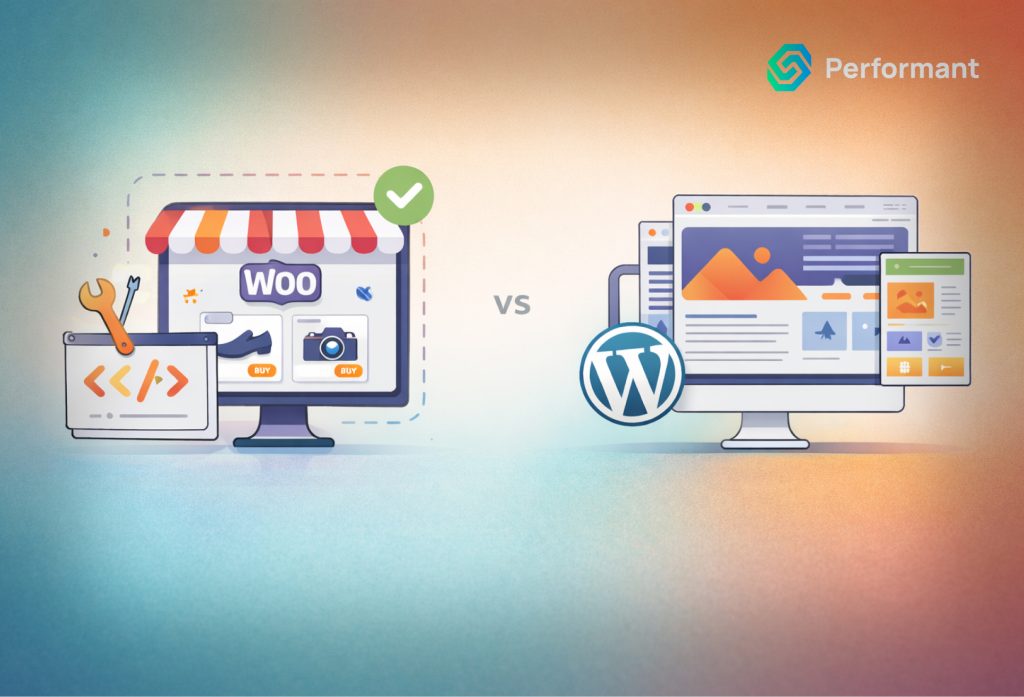
Every business owner building an ecommerce store on WordPress faces the same decision at some point: do you buy a pre-built template and customize it yourself, or do you invest in a store built from the ground up to your specifications? It seems like a straightforward question. In practice, it is one of the most consequential technical decisions you will make and getting it wrong is far more expensive than most business owners anticipate. This article does not declare a universal winner. The honest answer is that the right choice depends entirely on your business model, your growth trajectory, and the role your online store plays in your revenue strategy. What this guide will do is give you the framework to make that decision with clarity and help you understand exactly what you are trading off when you choose one path over the other. The Appeal of WordPress Templates and Why It Has Limits Let us start with the case for templates, because it is genuinely compelling for a significant number of businesses. Pre-built WooCommerce themes have improved dramatically over the past few years. Premium options from established developers themes like Flatsome, Kadence, Divi, and Astra are well-coded, mobile-optimised, and designed with ecommerce conversion in mind. They ship with starter templates that allow a business owner to have a functioning online store live within days rather than months. The upfront cost is a fraction of custom development, often falling between $50 and $300 for a premium licence. For a business that is validating a product idea, testing a new vertical, or operating a small catalogue with standard requirements, a well-chosen template is a rational and efficient choice. The problems emerge not at launch, but at growth. Templates are built to serve the broadest possible market. Every feature, layout option, and design element they include exists because enough customers requested it to justify its development. This universal scope comes with a cost: code bloat. Every option your store does not use still loads in the background, contributing to slower page speeds and heavier page weight. As your catalogue expands, as traffic increases, and as your business logic becomes more complex, that underlying inefficiency compounds. There is also the question of differentiation. A template that has been purchased by tens of thousands of merchants means your store shares its structural DNA with a very large number of competitors. You can customize colours, fonts, and imagery but the underlying layout patterns, the checkout flow, the product page architecture remain largely fixed by the template’s original design decisions. For businesses where the customer experience on-site is a competitive advantage, this constraint becomes increasingly problematic over time. What Custom WooCommerce Development Actually Means Custom development is a term that gets used loosely, so it is worth defining precisely what it means in the context of a WooCommerce store. At its most basic level, it means the development team writes code specifically for your store rather than modifying an existing theme. Your child theme, or a fully bespoke theme, is engineered to serve your specific business requirements. Custom templates are built for your product pages, your collection pages, your checkout flow. The architecture is designed around your catalogue structure, your customer journey, and your conversion goals not around the needs of an anonymous global market. At a deeper level, custom development means your store’s backend logic can be extended far beyond what off-the-shelf plugins provide. Complex pricing rules, subscription models, wholesale portals, custom product configurators, multi-warehouse inventory management, API integrations with your ERP or CRM these are all within scope when you are working with a team delivering dedicated WooCommerce development services. With a template, you are assembling these capabilities from a stack of plugins that may or may not work coherently together and will certainly not be optimised for your specific setup. Performance: Where the Gap Becomes Visible One of the most consequential differences between a template-based store and a custom-built one is performance and performance, in ecommerce, translates directly to revenue. Google’s Core Web Vitals are now a confirmed ranking factor, and the metrics they measure Largest Contentful Paint, Cumulative Layout Shift, Interaction to Next Paint are directly affected by the quality of your theme code and the number of scripts your pages load. A typical premium WooCommerce theme with a standard plugin stack loads a significant amount of unused code. Every plugin you install adds its own CSS and JavaScript to your page load, regardless of whether that code is needed on the specific page being rendered. Over time, as you add functionality through new plugins, this overhead accumulates. A custom WooCommerce store is built to load only what is needed, on the pages that need it. The codebase is lean by design. Custom functionality is implemented as targeted solutions rather than broad plugins with features you do not use. The result is a measurably faster store and faster stores convert better. Research consistently shows that even a one-second improvement in page load time can increase ecommerce conversions meaningfully, particularly on mobile devices. This is not a theoretical advantage. It is one of the most frequently cited outcomes reported by businesses that transition from template-based stores to stores built through professional WooCommerce development services. SEO: Why the Architecture of Your Store Matters WooCommerce on WordPress is widely regarded as one of the strongest ecommerce platforms for organic search but that advantage is not automatic. It depends on how the store is built. Template-based stores often suffer from structural SEO issues that are difficult to resolve without rebuilding from scratch: poor heading hierarchies baked into the theme’s HTML, bloated page weight that damages Core Web Vitals scores, CSS and JavaScript that is not properly deferred or minified, and product pages that lack the granular control needed to implement advanced schema markup effectively. Custom development allows you to build SEO architecture directly into the store’s foundation. Heading structures are semantic and purposeful. Schema markup for products, reviews, breadcrumbs, and FAQs can be implemented at
WooCommerce Database Optimization for High SKU Stores
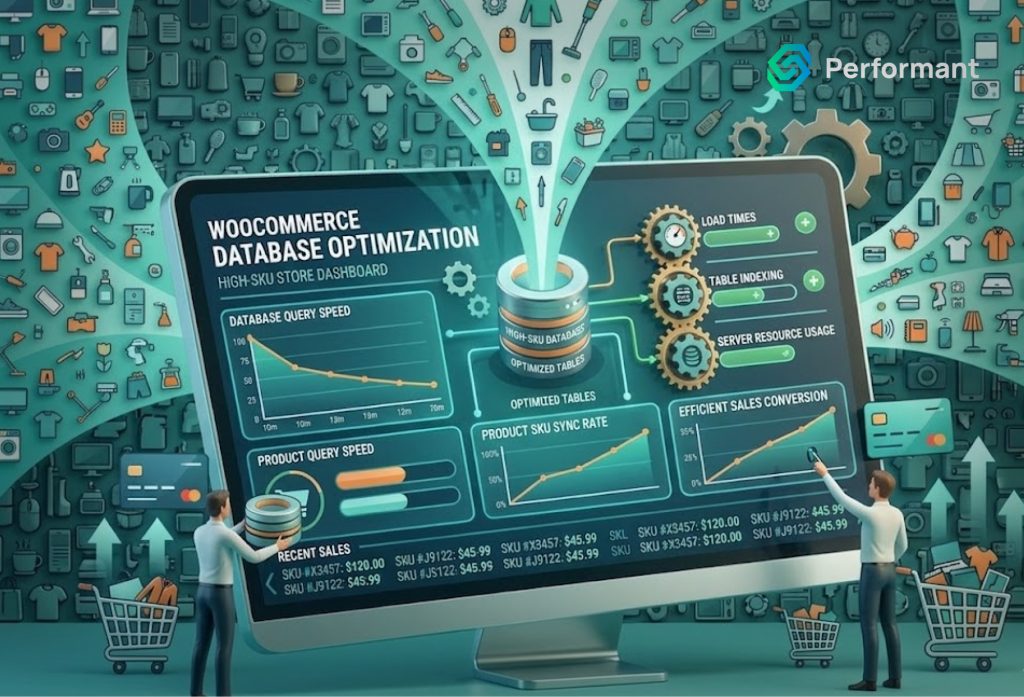
As your WooCommerce store grows, success introduces a new kind of pressure. More products, more customers, more orders on the surface, these are all positive signals. But underneath, your database begins to carry a heavier load. For stores with large product catalogs, often referred to as high SKU stores, database performance becomes one of the most critical factors in sustaining growth. Many business owners focus on design, marketing, or plugins when performance issues appear. But from a senior engineering perspective, the real bottleneck is often deeper. It sits in how your database is structured, queried, and maintained. If your store is slow, inconsistent, or struggling under load, database inefficiency is likely a major contributor. Understanding how to optimize your WooCommerce database is not just a technical improvement, it is a direct investment in revenue stability and scalability. Why High SKU Stores Face Unique Challenges A small WooCommerce store with a few hundred products operates very differently from one with tens of thousands of SKUs. Every product adds rows to multiple database tables. Variations multiply this further. Attributes, pricing rules, stock levels, and metadata all increase the volume of stored data. Over time, the database grows not just in size, but in complexity. When a customer visits your store, the system must retrieve product information, filter results, calculate pricing, and render pages in real time. With a large catalog, these operations require more queries and more processing power. The issue is not just scale. It is how efficiently your system handles that scale. Professional woocommerce development services often find that high SKU stores are not inherently slow; they are simply unoptimized for the level of complexity they have reached. The Hidden Role of the Database in Performance Most business owners think of performance in terms of page speed. But page speed is a result, not a cause. Behind every product page, category filter, or checkout action is a series of database queries. These queries retrieve and process the information needed to display content and complete transactions. If queries are inefficient, everything slows down. Pages take longer to load. Filters lag. Checkout becomes inconsistent. In high SKU environments, even small inefficiencies are amplified. A query that takes 50 milliseconds at low scale might take several seconds when dealing with large datasets. This is why database optimization is foundational. Without it, no amount of frontend improvement or hosting upgrades will fully solve performance issues. Understanding WooCommerce Database Structure WooCommerce operates on top of WordPress, which uses a generalized database structure. While flexible, this structure was not originally designed for large-scale ecommerce. Product data is stored across multiple tables, including posts, postmeta, terms, and term relationships. This design allows for extensibility, but it also creates complexity. For example, product attributes and variations are often stored as metadata rather than structured fields. This means queries must search through large volumes of meta records to retrieve relevant data. As your catalog grows, these queries become heavier and slower. Experienced woocommerce development services understand how to work within this structure while minimizing inefficiencies. They focus on optimizing how data is stored and accessed rather than simply adding more resources. Query Optimization: The First Priority The most immediate performance gains often come from optimizing database queries. Every time a page loads, multiple queries are executed. Some are essential, others are redundant or inefficient. Common issues include: In high SKU stores, these inefficiencies multiply quickly. Query optimization involves identifying slow queries and improving how they are executed. This may include adding indexes, restructuring queries, or caching results. Professional woocommerce development services typically begin performance work with query analysis because it delivers measurable improvements quickly. Indexing: The Foundation of Speed Indexes are one of the most powerful tools for database optimization. Without indexes, the database must scan entire tables to find matching records. With indexes, it can locate data almost instantly. In WooCommerce, indexing is especially important for: However, indexing must be done carefully. Too few indexes lead to slow queries. Too many can slow down write operations such as order creation. A balanced indexing strategy ensures that frequently accessed data is optimized without introducing new bottlenecks. This is an area where experienced woocommerce development services bring significant value, as improper indexing can create more problems than it solves. Managing Product Variations at Scale Variations are one of the biggest contributors to database growth. A single variable product can generate dozens or even hundreds of variation records. Each variation includes its own metadata, pricing, and stock information. For high SKU stores, this quickly becomes a major performance challenge. Optimization strategies include: Reducing unnecessary variations. Not every attribute combination needs to exist as a separate record. Simplifying product structures can significantly reduce database load. Using efficient attribute structures. Organizing attributes in a way that minimizes query complexity improves performance during filtering and display. Cleaning up unused variations. Over time, many stores accumulate obsolete or unused variation data that continues to consume resources. Professional woocommerce development services often restructure product data models to handle variations more efficiently, especially for large catalogs. Database Cleanup and Maintenance As WooCommerce stores operate over time, the database accumulates unnecessary data. This includes: While each item may seem small, collectively they can significantly impact performance. Regular cleanup reduces database size and improves query efficiency. It also ensures that the system is working with relevant data rather than processing outdated records. However, cleanup must be done carefully. Removing the wrong data can disrupt functionality. Structured maintenance processes, often implemented by woocommerce development services, ensure that cleanup is both safe and effective. Caching Strategies for High SKU Stores Caching reduces the need to repeatedly query the database. For high SKU stores, caching is essential for maintaining performance under load. There are several types of caching to consider: Object caching stores query results in memory, reducing database load for repeated requests. Page caching improves frontend performance by serving pre-rendered content where possible. Fragment caching allows dynamic pages to cache specific sections while keeping critical elements real-time. However, WooCommerce presents
WooCommerce Development Services That Turn Browsers Into Buyers
Your online store isn’t converting, and you know it. The real question is: what will you do about it? WooCommerce development services exist to solve this exact problem not by making your store prettier, but by making it sell. That’s the gap between a coder and someone who truly gets ecommerce. One gives you a website, while the other gives you a money-making machine. Here’s what you need to know before you hire anyone. Why Your Current WooCommerce Store Isn’t Working Most store owners blame traffic when sales are low. “If I just had more visitors, I’d make more sales.” Wrong. Your traffic is fine, your store is the problem. The average cart abandonment rate is 70%. That means 7 out of 10 people who add products to their cart leave without buying. They’re ready to spend money, but your store won’t let them complete the purchase. Why does this happen? Your checkout takes too long and frustrates buyers. Your site loads like it’s 2005, testing everyone’s patience. Your mobile experience makes people want to throw their phones across the room. Your product pages don’t answer the critical questions buyers need answered before they’ll commit. You need woocommerce development services that fix these problems today, not next week. What Professional WooCommerce Development Actually Includes Let’s clear something up right now. WooCommerce development isn’t just adding a plugin and calling it done. Anyone can do that, you can do that yourself. Professional development means building a custom woocommerce solution that matches how your specific business operates. Here’s what that actually looks like: Custom features built for your business. Your business has unique needs that generic solutions can’t address. Maybe you sell made-to-order products with complex customization options. Maybe you need custom pricing based on customer type or order volume. Maybe you need to integrate with your warehouse management system. Off-the-shelf plugins won’t cut it for these needs. A skilled woocommerce developer builds the exact features your business requires. Migration services that protect your SEO. Moving from Shopify or Magento to WooCommerce? One wrong move and you lose years of hard-won search rankings. Professional migration keeps your SEO intact, transfers all your data correctly (products, customers, orders), and keeps your store running while the switch happens. Zero downtime means zero lost sales. Third-party integrations that actually work. You need your store to communicate with your email marketing tool, your CRM, your shipping software, and your accounting system. Most store owners try to connect these on their own using random plugins, and then everything breaks. A professional woocommerce development company builds integrations that don’t fail at 2 AM on Black Friday. Performance optimization that makes your store lightning fast. Every second of load time costs you 7% of conversions. If your store takes 5 seconds to load instead of 2, you’re losing 21% of potential sales. Professional developers optimize images, clean up code, set up proper caching, and make your store load in under 2 seconds. Security measures that protect your customers. One data breach and your business reputation is destroyed forever. Professional development includes fraud prevention, secure payment processing, and protection against cyber attacks. Your customers trust you with their credit card information don’t mess this up. [Image: Split-screen comparison showing a slow, cluttered WooCommerce store on the left versus a fast, clean optimized store on the right] How to Choose a WooCommerce Development Service (Without Getting Scammed) Here’s the uncomfortable truth: most agencies will happily take your money and give you garbage in return. They’ll use a cheap template, add 40 bloated plugins, and charge you $10,000 for the privilege. Six months later, your site crashes and they’re nowhere to be found. Here’s how to avoid that nightmare scenario. Look for Woo Agency Partners Automattic (the company behind WooCommerce) runs a partner program where they vet agencies and verify their skills. If an agency is a Woo Agency Partner, they’ve proven they know what they’re doing. There are two levels you should know about: These agencies get direct training, priority support, and early access to the WooCommerce roadmap. More importantly, they’re held accountable for their work. If they mess up consistently, they lose their partner status. Not every good developer is a partner, but every partner has been thoroughly vetted. Check Their Actual Work, Not Just Portfolio Images Don’t trust their portfolio page alone. Anyone can put nice screenshots on a website and claim they built something amazing. Ask for live store URLs of sites they’ve actually built. Visit those stores on your phone and test the experience. Try to buy something and see how the checkout works. Check the load speed using free tools. Look at how they handle product filters and search functionality. Built Mighty partnered with Valhalla (an audio plugins company) back in 2018, and Valhalla reported they saw a “huge increase in business and decrease in stress” since then. That’s the kind of result you want not “we built a pretty website,” but measurable results, increased revenue, and reduced operational stress. Avoid Freelance Marketplaces (Usually) Fiverr and Upwork have virtually no vetting process for developers. You’re essentially playing the lottery with your business. Sometimes you win and find a gem, but usually you don’t. Codeable is different and worth considering. They carefully vet every developer on their platform before approval. Rates typically run 80−120 per hour, which sounds high until you realize you’re paying for someone who won’t disappear halfway through your project. Make Sure They Understand Your Business First Here’s a simple test: if a developer can start coding without asking detailed questions about your business, run away fast. Good woocommerce solutions start with understanding how your business operates. What’s your order fulfillment process? How do you handle returns and exchanges? What customer data do you need to capture? How do you want to segment your audience for marketing? Paper Boy Co (custom stickers and labels) needed customers to place orders in under 60 seconds. That’s their entire business model and competitive advantage. A basic
Why Most WooCommerce Stores Fail During Traffic Spikes
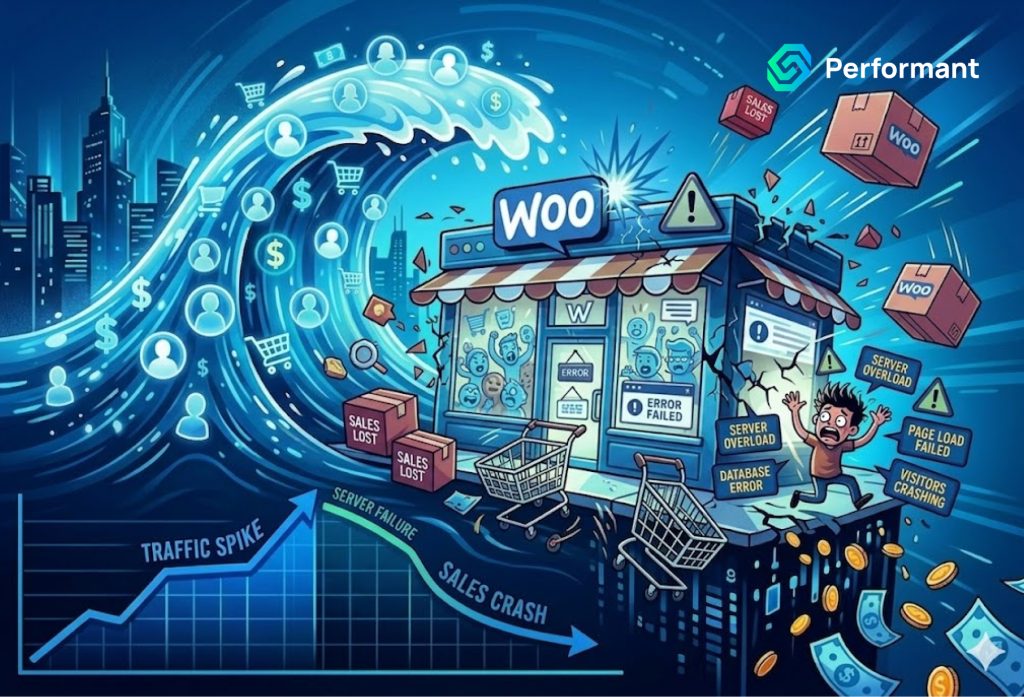
Traffic spikes are often seen as a success signal. A campaign performs well, a product goes viral, or a seasonal promotion drives a surge of visitors. From a business perspective, this is the moment you’ve been working toward. Demand is high, intent is strong, and revenue potential is at its peak. Yet for many WooCommerce stores, this is also the moment things start to break. Pages slow down. Checkout becomes inconsistent. Orders fail to process. In extreme cases, the site becomes completely unavailable. What should have been a revenue surge turns into a missed opportunity. From a senior engineering perspective, these failures are rarely caused by traffic alone. They are the result of underlying architectural weaknesses that only become visible under pressure. Understanding why WooCommerce stores fail during traffic spikes is the first step toward building systems that can handle growth with confidence. The Misconception: Traffic Is the Problem Many business owners assume that high traffic is the root cause of failure. In reality, traffic is only the trigger. It exposes inefficiencies that already exist within the system. A WooCommerce store that performs well at low or moderate traffic levels may still contain hidden bottlenecks. These bottlenecks remain unnoticed until concurrent users increase and system load intensifies. When dozens or hundreds of users interact with your store simultaneously browsing products, updating carts, and completing checkout—the system must handle multiple complex processes at once. If any part of the architecture is inefficient, it becomes a point of failure. This is why simply upgrading hosting often provides only temporary relief. Without addressing structural inefficiencies, the same issues will reappear during the next spike. Database Bottlenecks Under Load At the core of every WooCommerce store is the database. It manages products, orders, customer data, and transactional logic. During traffic spikes, database activity increases dramatically. Each visitor triggers queries. Product pages load metadata. Carts update dynamically. Checkout processes validate inventory, calculate totals, and create orders. These operations are executed in real time and often simultaneously. If the database is not optimized, query execution slows down as load increases. Tables grow large, indexes become inefficient, and queries that once executed quickly begin to lag. The result is a cascading delay. Pages take longer to load. Checkout actions stall. Customers begin to experience friction. Professional woocommerce development services typically identify database performance as one of the first areas to address when preparing for high traffic. Optimization at this level has a direct impact on overall stability. Plugin Overload and Conflicting Logic WooCommerce’s flexibility comes largely from its plugin ecosystem. While this is a strength, it also introduces risk. Most growing stores accumulate plugins over time. Marketing tools, analytics scripts, checkout customizations, shipping integrations, and payment gateways all add functionality. Each plugin introduces its own logic, scripts, and database interactions. Under normal conditions, this complexity may appear manageable. During a traffic spike, however, the combined load of these plugins becomes significant. Multiple plugins may attempt to execute processes simultaneously. Some may conflict with each other. Others may trigger redundant operations. The system becomes overloaded not just by traffic, but by the inefficiency of its own architecture. This is where experienced woocommerce development services bring discipline. By auditing and consolidating plugin usage, they reduce unnecessary load and improve system coherence. Checkout Fragility Under Concurrent Usage Checkout is the most sensitive part of any WooCommerce store. It is also the most complex. During a traffic spike, multiple customers attempt to complete transactions at the same time. Each checkout session requires real-time validation, payment processing, and order creation. If the checkout process is overloaded with scripts, external API calls, or conflicting logic, it becomes unstable under pressure. Common issues include failed payments, duplicate submissions, delayed confirmations, and session timeouts. These problems directly impact revenue because they occur at the moment of conversion. From a business perspective, this is the most expensive failure point. Reliable woocommerce development services focus on simplifying checkout workflows. By removing unnecessary steps and ensuring efficient execution, they create a system that can handle concurrent transactions without breaking. Hosting Limitations and Resource Constraints Infrastructure plays a critical role in handling traffic spikes, but it is often misunderstood. Many WooCommerce stores operate on hosting environments that are sufficient for average traffic levels. During a spike, these environments quickly reach their limits. CPU usage increases, memory is consumed, and server processes become saturated. When resources are exhausted, response times degrade or the server stops responding altogether. Upgrading hosting can improve capacity, but it does not address inefficiencies in how resources are used. An unoptimized store will consume additional resources regardless of how powerful the server is. The most effective approach combines scalable infrastructure with efficient system design. This ensures that available resources are used effectively rather than wasted. External Dependencies and API Failures Modern WooCommerce stores rely heavily on external services. Payment gateways, shipping providers, tax calculation tools, and marketing platforms all integrate through APIs. During traffic spikes, the volume of API calls increases. If any external service experiences latency or downtime, it affects your store directly. For example, a slow payment gateway response can delay checkout processing. A shipping API failure can prevent cost calculation. These dependencies introduce risk that is outside your direct control. A well-architected system minimizes reliance on real-time external calls during critical interactions. Instead, it uses caching, asynchronous processing, or fallback mechanisms to maintain stability. Experienced woocommerce development services design integration strategies that reduce dependency on external systems at peak moments. Lack of Load Testing and Preparation One of the most common reasons WooCommerce stores fail during traffic spikes is lack of preparation. Many businesses launch campaigns without testing how their systems will perform under increased load. They assume that if the store works under normal conditions, it will scale automatically. This assumption is costly. Load testing simulates real-world traffic conditions. It identifies bottlenecks before they impact customers. Without it, issues remain hidden until they occur in production. A disciplined approach includes testing not only frontend performance, but also checkout workflows, background processes,
Handling Subscription Logic in WooCommerce Without Breaking Updates
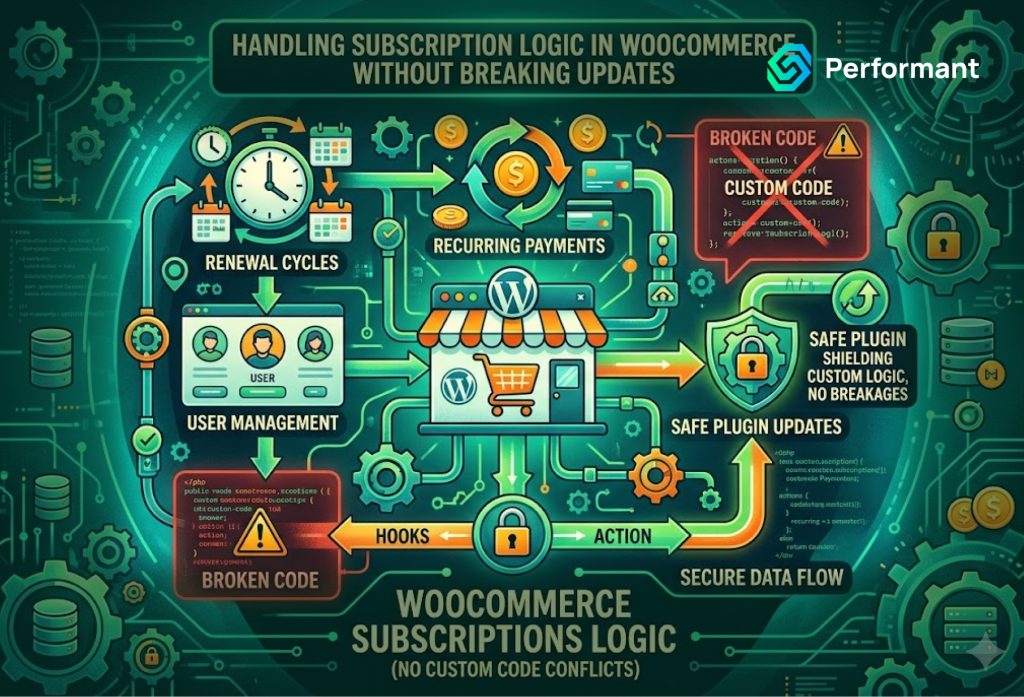
Subscription-based commerce has become a core revenue model for many businesses. Whether you sell memberships, recurring products, digital services, or replenishable goods, subscriptions introduce predictable revenue and long-term customer relationships. WooCommerce supports this model effectively through extensions and custom development. But as subscription logic becomes more complex, many business owners encounter a hidden risk: updates start breaking critical functionality. A checkout flow that worked yesterday suddenly fails after a plugin update. Renewal orders behave inconsistently. Discounts apply incorrectly. These issues are rarely random. They are usually the result of how subscription logic has been implemented over time. From a senior engineering perspective, the problem is not WooCommerce itself. It is how subscription systems are structured. When logic is layered without discipline, updates expose fragility. Understanding how to handle subscription logic without breaking updates is essential for any business relying on recurring revenue. Why Subscription Logic Becomes Fragile Subscriptions are inherently more complex than one-time purchases. A standard WooCommerce transaction is straightforward. A customer selects a product, completes checkout, and the order is processed. Subscriptions, however, introduce ongoing processes. Renewals must be scheduled, payments must be retried if they fail, pricing may change over time, and customer states must be tracked across billing cycles. Each of these elements adds logic to your system. In early stages, businesses often rely entirely on plugins to manage subscriptions. This works well initially. Extensions provide billing cycles, renewal automation, and integration with payment gateways. But as business requirements evolve, additional layers are added. Custom discounts, tiered pricing, bundled subscriptions, regional billing rules, and integration with external systems all increase complexity. Over time, subscription logic becomes distributed across plugins, custom code, and third-party integrations. When updates occur, these layers can conflict. Professional woocommerce development services frequently encounter stores where subscription functionality works, but only under specific conditions. The system is technically operational, but structurally fragile. The Root Cause: Overriding Instead of Extending One of the most common mistakes in handling subscription logic is overriding core functionality instead of extending it. WooCommerce and its subscription extensions provide hooks, filters, and APIs specifically designed for customization. These allow developers to modify behavior without altering core files. However, in many implementations, developers take shortcuts. They override templates, modify plugin files directly, or inject logic in ways that bypass standard extension points. This approach may deliver quick results, but it creates long-term risk. When the underlying plugin updates, those overrides may no longer align with the updated logic. Changes in data structures, validation rules, or API behavior can cause customizations to fail. A disciplined approach focuses on extending functionality through supported mechanisms. This ensures compatibility with future updates and reduces the likelihood of breaking changes. Experienced woocommerce development services prioritize extension over modification, preserving system stability over time. Plugin Dependency and Hidden Conflicts Subscription systems rarely operate in isolation. They interact with payment gateways, discount engines, tax calculations, shipping logic, and CRM integrations. Each of these components may introduce its own logic into the subscription lifecycle. For example, a discount plugin may attempt to apply promotions during renewal orders. A shipping plugin may recalculate costs differently for recurring shipments. A CRM integration may trigger workflows based on subscription status. Individually, these interactions may seem harmless. Collectively, they create overlapping logic that can conflict during updates. A plugin update that changes how discounts are applied can disrupt subscription renewals. A payment gateway update may alter how billing retries are handled. These conflicts are often difficult to diagnose because they involve multiple systems interacting simultaneously. Professional woocommerce development services address this by mapping the entire subscription ecosystem. Understanding how each component interacts allows for controlled customization and reduces unexpected behavior during updates. Data Integrity and Subscription State Subscriptions rely heavily on accurate data. Each subscription has a lifecycle: active, paused, cancelled, expired, or pending renewal. These states determine how billing, access, and fulfillment are handled. When custom logic interferes with how these states are managed, inconsistencies can occur. For example, a custom script may update subscription status based on external conditions. If this logic does not align with WooCommerce’s internal state management, it can create discrepancies. Updates can amplify these issues. Changes in how subscription states are processed may expose inconsistencies that previously went unnoticed. Maintaining data integrity requires strict adherence to platform standards. Custom logic should interact with subscription data through official APIs rather than direct database manipulation. Experienced woocommerce development services ensure that all state changes are handled in a way that remains compatible with future updates. Renewal Logic and Edge Cases Renewals are the most sensitive part of any subscription system. They involve scheduled tasks, payment processing, and order creation. Unlike initial purchases, renewals often occur without direct user interaction. This makes them particularly vulnerable to hidden issues. Edge cases are common. Payment failures, expired cards, currency changes, and promotional adjustments all affect renewal behavior. Custom logic that does not account for these scenarios can break under real-world conditions. When updates modify how renewals are triggered or processed, fragile implementations can fail. A robust approach involves designing renewal logic that is resilient to change. This includes handling retries, fallback scenarios, and validation checks in a structured way. Professional woocommerce development services test renewal workflows extensively to ensure they remain stable across updates. Avoiding Direct Core Modifications One of the most critical principles in WooCommerce development is avoiding direct modifications to core files or plugin code. While it may seem convenient to edit a plugin to achieve a specific outcome, this approach creates immediate problems during updates. Any changes made directly to plugin files will be overwritten when the plugin is updated. More importantly, direct modifications make it difficult to track changes. Over time, the system becomes unpredictable because customizations are scattered across multiple locations. Instead, all custom subscription logic should be implemented through custom plugins or structured code layers. This ensures that updates can be applied without losing functionality. Reliable woocommerce development services always isolate custom logic from core systems, preserving update compatibility. Version Control and Deployment Discipline
WooCommerce Multisite: When It Makes Sense and When It Doesn’t
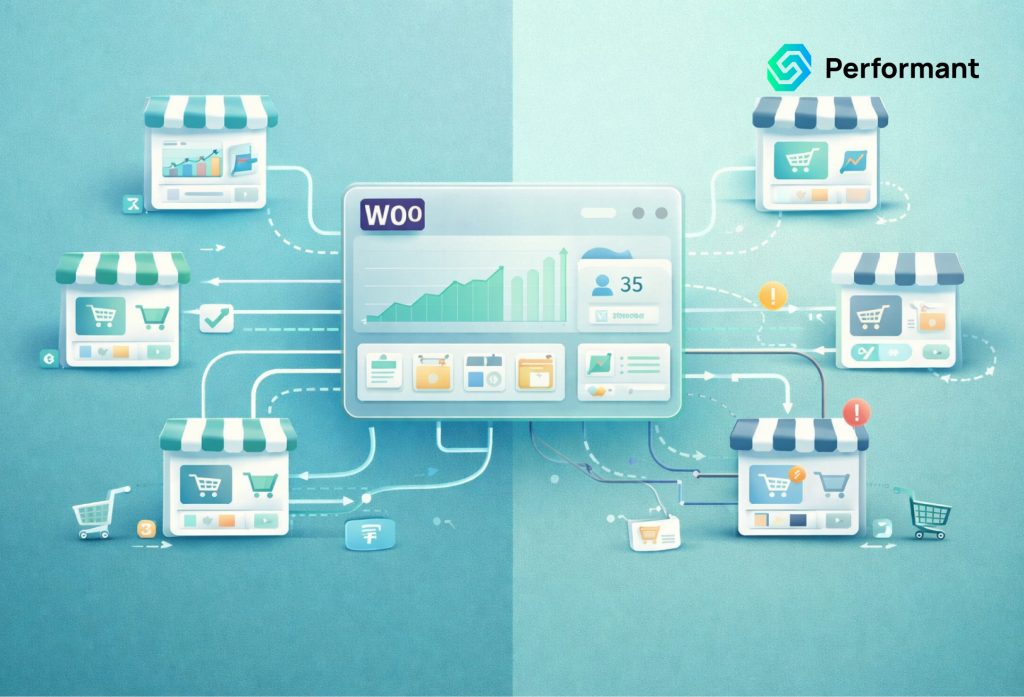
As WooCommerce stores grow, business owners often face a structural decision that goes beyond plugins, themes, or hosting upgrades. It is a question of architecture. Should you continue scaling a single store, or should you expand into multiple storefronts managed under one system? This is where WooCommerce Multisite enters the conversation. At a glance, multisite appears to be an elegant solution. It allows you to run multiple stores from a single WordPress installation. You can share users, centralize management, and reduce duplication. For businesses operating across regions, brands, or product lines, this can seem like the logical next step. But multisite is not a universal upgrade. It introduces its own complexity, operational considerations, and long-term trade-offs. From a senior engineering perspective, the key is not whether multisite is powerful. It is whether it aligns with your business model and growth trajectory. Understanding when WooCommerce Multisite makes sense and when it does not can prevent costly architectural mistakes. What WooCommerce Multisite Actually Is WooCommerce Multisite is built on WordPress Multisite, a feature that allows multiple websites to exist within a single WordPress installation. Each site operates independently in terms of content, themes, and configurations, but they share the same core system and database environment. For WooCommerce, this means you can run multiple stores—each with its own catalog, pricing, and checkout while managing them centrally. From a business perspective, this offers a balance between independence and consolidation. You avoid the overhead of managing completely separate installations, while still maintaining distinct storefronts. However, this shared structure is also where complexity begins. The Strategic Appeal of Multisite Multisite is appealing because it promises operational efficiency. Instead of maintaining multiple standalone WooCommerce stores, you manage everything from one environment. Updates to WordPress core, plugins, and themes can be applied across all sites simultaneously. User management can be centralized. Development workflows can be streamlined. For businesses with multiple brands or regional stores, this can reduce duplication of effort. Marketing teams can coordinate campaigns more easily. Technical teams can maintain a single codebase rather than several disconnected systems. Professional woocommerce development services often recommend multisite in scenarios where structural consistency across stores is critical. When multiple storefronts share similar functionality, maintaining them within one system can improve efficiency and reduce long-term maintenance overhead. But efficiency alone is not enough to justify the decision. When WooCommerce Multisite Makes Sense Multisite becomes valuable when your business structure naturally aligns with its architecture. One of the most common use cases is multi-brand operations. If your company owns several brands that require separate storefronts but share similar infrastructure, multisite can provide a unified foundation. Each brand can maintain its identity while benefiting from shared development and maintenance processes. Another strong use case is regional expansion. Businesses operating in multiple countries often need localized stores with different currencies, languages, and pricing strategies. Multisite allows each region to operate independently while keeping the technical stack centralized. Franchise or distributor networks also benefit from multisite. Each location or partner can have its own store, while the parent organization maintains oversight and control. This structure supports scalability without sacrificing governance. In these scenarios, woocommerce development services can design multisite architectures that balance autonomy and consistency, ensuring each store operates efficiently within the broader system. Shared Infrastructure and Its Implications The defining characteristic of multisite is shared infrastructure. All sites exist within a single WordPress installation and typically share the same database. While data is segmented by site, the underlying system is unified. This has important implications. First, performance is interconnected. High traffic on one site can impact the performance of others if resources are not managed properly. This requires careful hosting configuration and resource allocation. Second, updates are global. When you update a plugin or theme, it affects all sites within the network. This can be efficient, but it also introduces risk. A single incompatible update can disrupt multiple storefronts simultaneously. Third, security is centralized. A vulnerability in one part of the system can potentially affect the entire network. This increases the importance of disciplined development and maintenance practices. Experienced woocommerce development services approach multisite with these considerations in mind, ensuring that infrastructure is designed to handle shared load without compromising stability. The Complexity of Customization Customization is where multisite decisions often become challenging. While each site in a multisite network can have its own theme and configuration, deeper customizations can become more complex. Shared plugins and codebases must accommodate variations across different stores. For example, if one store requires a unique checkout workflow, implementing that change without affecting other sites requires careful architectural planning. Conditional logic, modular development, and strict separation of concerns become essential. Without this discipline, multisite environments can become difficult to manage. Changes intended for one store may inadvertently impact others. This is why woocommerce development services play a critical role in multisite implementations. They ensure that customization is structured in a way that preserves flexibility without introducing instability. Data Separation and Reporting Challenges Another important consideration is data management. While multisite keeps data logically separated, it still resides within a shared database structure. This can complicate reporting and analytics. Business owners often want a unified view of performance across all stores. Aggregating this data from a multisite environment requires additional tooling or custom reporting solutions. At the same time, individual stores may need localized reporting that reflects their specific operations. Balancing these needs requires thoughtful data architecture. Without it, reporting can become fragmented or inconsistent. Professional woocommerce development services often implement centralized analytics layers or integration with external reporting systems to ensure data clarity across multisite environments. When Multisite Does Not Make Sense Despite its advantages, multisite is not always the right choice. One of the most common misapplications is using multisite to solve problems that are better addressed within a single store. For example, managing multiple product categories or customer segments does not necessarily require separate storefronts. These can often be handled through standard WooCommerce functionality. Another scenario where multisite falls short is when stores require fundamentally different
WooCommerce Performance Optimization: What Hosting Alone Won’t Fix
When WooCommerce stores begin to slow down, the first instinct for many business owners is to upgrade hosting. It seems logical. More traffic requires more server resources, so better hosting should solve the problem. In some cases, it helps temporarily. Pages load slightly faster, checkout feels smoother, and the store regains stability. But the improvement rarely lasts. As traffic grows and complexity increases, performance issues return. Page load times creep up again. Checkout becomes inconsistent. Backend operations slow down. At this stage, it becomes clear that hosting alone is not the root cause. It is only one layer of a much larger system. For business owners, this realization is important. Performance optimization in WooCommerce is not a single decision. It is an architectural discipline that spans database structure, plugin management, frontend behavior, and integration design. Without addressing these deeper factors, even the most powerful hosting environment will struggle to deliver consistent performance. The Misconception Around Hosting Upgrades Hosting is often treated as a universal solution because it is easy to understand. Upgrading from shared hosting to a dedicated or cloud-based environment feels like a clear step forward. And it is. Infrastructure matters. However, hosting primarily provides capacity. It increases the amount of CPU, memory, and processing power available to your store. What it does not do is improve how efficiently your store uses those resources. If your WooCommerce store is executing inefficient database queries, loading unnecessary scripts, or running redundant background processes, better hosting simply allows those inefficiencies to consume more resources. The underlying problem remains unchanged. This is why many business owners find themselves repeatedly upgrading hosting without achieving lasting results. The system scales in cost, but not in efficiency. Professional woocommerce development services approach performance differently. They focus on reducing unnecessary load rather than just increasing capacity. Database Performance: The Core Bottleneck At the heart of every WooCommerce store is the database. Product data, orders, customer records, inventory, and metadata all live in MySQL tables. As your store grows, these tables expand rapidly. Many performance issues originate here. Plugins often store additional data in post meta and user meta tables. Over time, these tables become large and inefficient. Queries that once executed quickly begin to slow down as they scan larger datasets. Checkout processes are particularly sensitive to database performance. Every transaction requires multiple queries for pricing, inventory validation, shipping calculations, and order creation. If these queries are not optimized, delays become visible to customers. Hosting upgrades do not fix inefficient queries. They may reduce the impact temporarily, but as data grows, performance declines again. Experienced woocommerce development services address this by optimizing database structure, improving indexing, and reducing unnecessary queries. In some cases, they restructure how data is stored to support long-term scalability. Plugin Overload and System Complexity WooCommerce’s plugin ecosystem is one of its greatest strengths, but it is also one of its biggest performance risks. Each plugin introduces its own logic, scripts, and database interactions. Individually, plugins may perform well. Collectively, they can overwhelm the system. Many stores accumulate plugins over time. One for SEO, another for caching, several for marketing, multiple for checkout customization, and others for integrations. Each plugin solves a specific problem, but together they create overlapping functionality and redundant processing. This complexity increases page load times and introduces conflicts. Some plugins load scripts across every page, even when they are only needed in specific contexts. Others execute background processes that consume server resources. Upgrading hosting does not eliminate these inefficiencies. It simply allows more plugins to run simultaneously before the system slows down again. Effective woocommerce development services focus on simplifying the plugin ecosystem. This often involves removing redundant extensions, consolidating functionality, and replacing heavy plugins with lightweight custom solutions. The result is a leaner system that performs better even on the same infrastructure. Frontend Performance and Script Management Customers experience performance through the frontend. Page load speed, responsiveness, and visual stability all influence conversion rates. Modern WooCommerce stores often rely on numerous scripts. Analytics tools, marketing pixels, personalization engines, and UI enhancements all add JavaScript and CSS to the page. While each script may seem small, their combined impact can be significant. Browsers must download, parse, and execute these files before the page becomes interactive. This increases Time to Interactive and creates delays that customers notice. Hosting upgrades do not reduce script weight. They may improve server response time, but frontend rendering remains dependent on how efficiently assets are delivered and executed. Professional woocommerce development services optimize frontend performance by minimizing unnecessary scripts, deferring non-critical assets, and improving asset loading strategies. These improvements directly enhance user experience and reduce bounce rates. Checkout Performance and Conversion Impact Checkout is the most critical part of your WooCommerce store. It is also one of the most complex. During checkout, multiple systems interact simultaneously. Payment gateways process transactions. Shipping rules calculate costs. Tax logic applies region-specific rules. Coupons and discounts are validated. When performance issues exist anywhere in this chain, they surface here. Slow checkout processes lead to hesitation. Customers may click multiple times, refresh the page, or abandon their carts entirely. Even small delays can reduce conversion rates significantly. Hosting improvements can stabilize server response, but they do not simplify checkout logic. If multiple plugins are modifying checkout behavior or if scripts are conflicting, performance issues will persist. This is where targeted optimization becomes essential. Experienced woocommerce development services streamline checkout workflows, remove redundant processes, and ensure that only necessary logic executes during transactions. The result is a faster, more reliable checkout experience that directly increases revenue. Background Processes and Server Load WooCommerce relies heavily on background processes. These include email notifications, inventory synchronization, reporting tasks, and integration updates. As your store grows, the number of background processes increases. Many plugins add their own scheduled tasks, which can run frequently and consume server resources. These processes often operate invisibly. Business owners may not notice them until performance begins to degrade or hosting providers flag resource usage. Hosting upgrades provide more capacity for