
Shopify Store Audit Checklist for Founders Preparing to Scale
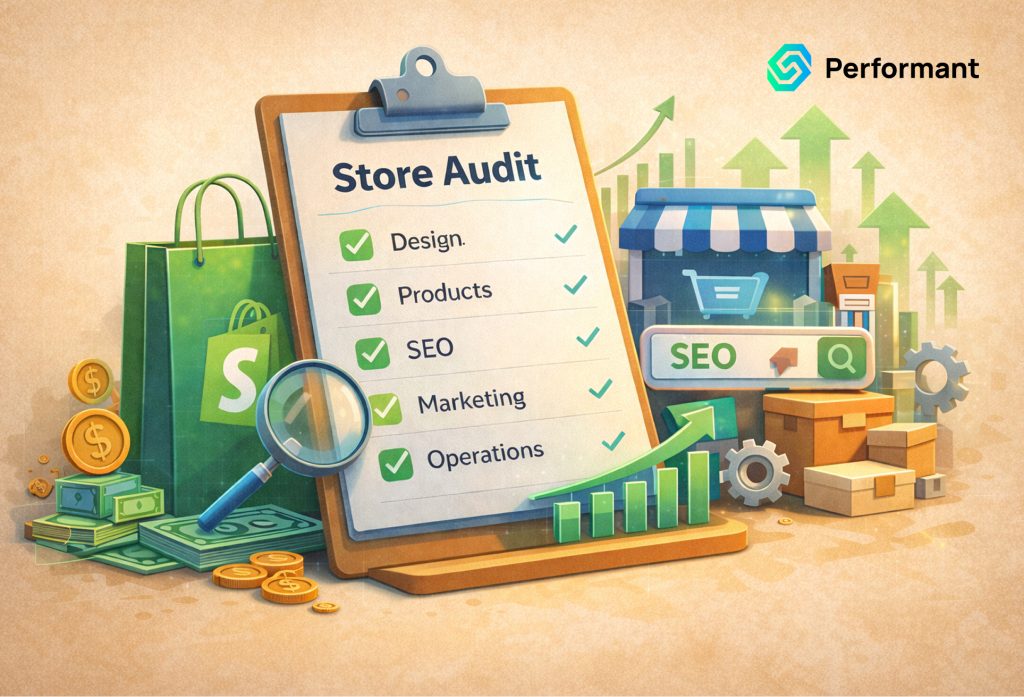
If you’re preparing to scale paid media, raise capital, or expand into new markets, your biggest risk is not competition. It’s your own infrastructure. I’ve seen founders double ad budgets only to discover: When you increase traffic, you increase pressure. Every hidden flaw inside your store gets amplified. A proper Shopify store audit is not a speed test or a surface-level checklist. It’s technical due diligence for growth. If you’re investing in Shopify development services before scaling, the goal is simple: Remove revenue risk before increasing demand. Below is the exact audit framework I use when assessing Shopify store readiness for scale. Domain 1: Performance & Load Stability When traffic increases, performance degradation compounds fast. Conversion drops quietly. Paid acquisition becomes inefficient. What to Check Red Flags Business Impact A proper shopify performance audit evaluates whether speed remains stable under growth conditions not just in a quiet environment. If your revenue goal is doubling, your infrastructure must tolerate doubling traffic. Domain 2: Theme Integrity & Code Governance Themes are often customized heavily over time. What starts clean becomes layered with patches, app injections, and emergency fixes. What to Check Red Flags Business Impact A true shopify technical audit looks beyond aesthetics. It evaluates structural durability. Founders planning fundraising should treat theme integrity as part of operational risk management. Domain 3: App Stack Risk & Dependency Exposure Apps are powerful but each one increases complexity. Every installed app introduces: What to Check Red Flags Business Impact A serious shopify scalability audit includes dependency mapping. If an app outage can halt your revenue, that’s a structural risk. Domain 4: Data Model & Catalog Structure Data structure problems don’t show up immediately. They show up when you expand product lines or introduce automation. What to Check Red Flags Business Impact Your product data structure determines whether scale feels organized or chaotic. A thorough shopify audit checklist must evaluate catalog governance. Domain 5: Integrations & API Resilience Most scaling failures occur in integrations: What works at 100 orders/day may collapse at 1,000. What to Check Red Flags Business Impact Before scaling, confirm your integration architecture is built for throughput not just functionality. Domain 6: Tracking & Attribution Accuracy Scaling ads without reliable tracking is gambling. What to Check Red Flags Business Impact If your numbers are wrong, your decisions are wrong. A shopify performance audit must include data integrity validation. Domain 7: Operations & Workflow Scalability Traffic scaling doubles operational pressure. Orders increase. Refunds increase. Exceptions increase. What to Check Red Flags Business Impact Scaling is not just traffic. It’s operational load. Your workflows must survive growth without burning your team. Domain 8: Security & Access Governance Security issues often surface during rapid growth. What to Check Red Flags Business Impact Security weaknesses are expensive under scrutiny especially during fundraising or acquisition discussions. Prioritization Model: What to Fix First Not every issue deserves equal urgency. Here’s how to prioritize remediation during a Shopify store audit. Tier 1: Direct Revenue Risk Fix immediately. These directly impact revenue and cash flow. Tier 2: Scaling Risk Fix before aggressive growth. These may not break today but they will be under pressure. Tier 3: Convenience & Efficiency Fix strategically. Important, but not urgent. Why Founders Delay Audits (And Why It Costs More Later) Common reasoning: But scaling amplifies inefficiency. A 3% conversion leak at $50,000/month feels small. At $500,000/month, that’s $15,000/month lost. A structured shopify store readiness review protects margin before scale. Growth without preparation is expensive. What a Proper Shopify Audit Deliverable Should Include If you invest in professional Shopify development services for a scalability review, expect: If you receive only a list of suggestions with no prioritization, you didn’t receive due diligence. You received surface advice. When You Should Conduct a Shopify Store Audit Before: Or when you notice: These are early warnings. Don’t wait for failure. Scaling Is a Systems Discipline Marketing drives demand. Infrastructure captures revenue. When founders treat scaling as purely a growth lever, they ignore the backend systems that sustain profit. A structured Shopify audit checklist gives you clarity. It answers: If you’re preparing to scale, you don’t need more optimism. You need operational certainty. Paid Shopify Audit Prioritized Remediation Plan If you’re preparing for aggressive growth, fundraising, or operational expansion, consider investing in a structured Shopify audit. The deliverable should include: Not generic advice. Not surface-level speed tests. A true readiness assessment. If you’re unsure whether your store can handle 2–3x growth, that uncertainty is your signal. Scale rewards preparation. And preparation starts with clarity. Conclusion Scaling doesn’t fail because of ambition. It fails because of overlooked infrastructure. Before you pour fuel on your growth engine, validate that your store can handle the pressure. A structured Shopify store audit gives you visibility into revenue risks, operational bottlenecks, and hidden technical debt that silently erodes margin. Founders who scale successfully treat infrastructure as an investment, not an afterthought. Fix what threatens revenue first, strengthen what supports growth second, and eliminate fragility before it becomes expensive. Sustainable scale isn’t luck. It’s disciplined preparation backed by technical clarity. Scale Faster With Confidence. Get a Free Shopify and Web Architecture Review From Performantcode.io Experts. Identify Hidden Performance Risks, Technical Debt, Cost Leaks, and Growth Blockers Before They Impact Conversions, Revenue, or Scalability.
Shopify API Rate Limits: Hidden Bottlenecks for Growing Stores
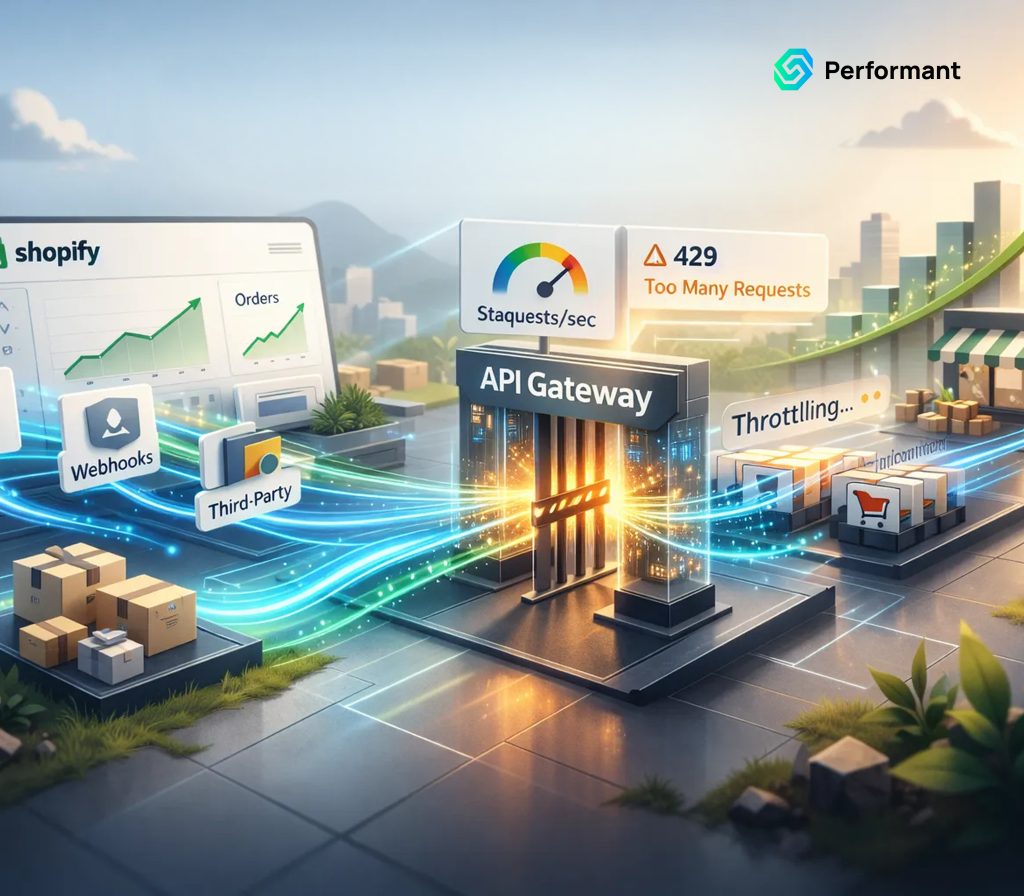
Most Shopify stores never think about API limits until integrations start failing. Orders stop syncing to your ERP. Inventory updates lag behind reality. Fulfillment systems process orders late. Analytics dashboards show stale data. Support teams manually fix inconsistencies without understanding the root cause. At first glance, everything appears normal. Shopify is working. Apps are connected. Systems are running. But behind the scenes, your integrations are silently hitting Shopify API rate limits. As a backend engineer who has debugged failing integrations across ERP, fulfillment, subscription, and BI systems, I’ve seen this pattern repeatedly. The problem isn’t Shopify itself. It’s how integrations behave under scale. Understanding Shopify API rate limits and how to design around them—is essential for reliable growth. Without the right architecture, your integrations will become hidden operational bottlenecks. This is especially critical for stores relying on Shopify as the central hub for operational data. Why Integrations Work Fine Until They Don’t Early-stage stores rarely encounter integration problems. At 50 orders per day, integrations operate comfortably within API limits. Systems have time to sync data. Failures are rare and recoverable. But as stores scale, integration traffic increases exponentially. More orders generate more API calls. More products increase sync volume. More customers create more updates. More apps compete for the same API capacity. Eventually, integrations reach a tipping point. Instead of real-time synchronization, systems begin falling behind. You may see symptoms like: These aren’t random failures. They’re predictable consequences of Shopify API rate limits. What Shopify API Rate Limits Actually Are (Plain Language) Shopify API rate limits exist to protect system stability. They control how many requests your apps and integrations can make within a given timeframe. Think of the API like a checkout counter. If a few customers arrive, everyone gets served immediately. If thousands arrive simultaneously, a line forms. Some customers wait. Shopify API rate limits enforce that line. When integrations exceed the allowed request rate, Shopify slows or temporarily blocks additional requests. This behavior is called Shopify API throttling. Throttling doesn’t mean your integration is broken. It means it must wait. However, poorly designed integrations don’t handle throttling properly. They retry inefficiently. They duplicate requests. They overwhelm queues. This is where real operational problems begin. Why Rate Limits Become a Problem as Stores Scale API limits don’t change dramatically as your store grows. But your integration demand does. Scaling introduces several compounding factors: Increased Order Volume More orders mean more: Each of these generates API requests. Increased Integration Complexity Growing stores add more systems: Each integration consumes API capacity. Increased Data Synchronization Requirements Larger catalogs require more frequent updates. Pricing changes. Inventory fluctuates. Product attributes evolve. Each change triggers API activity. Eventually, integrations compete for limited API throughput. This creates Shopify integration bottlenecks. Common Failure Scenarios Caused by Shopify API Rate Limits Most merchants don’t realize API rate limits are causing failures. They see symptoms but not the root cause. Here are the most common scenarios. 1. Delayed Order Synchronization When API rate limits are exceeded, order sync delays occur. Orders may take minutes or hours to reach downstream systems. This affects: Delayed order sync slows fulfillment operations and impacts customer experience. 2. Stale Inventory Data Inventory synchronization is particularly sensitive to API throttling. When integrations cannot update inventory quickly enough: This creates operational and customer experience risks. Shopify API limitations often expose weaknesses in inventory synchronization design. 3. Duplicate Data Writes Poor retry handling can create duplicate actions. Examples include: This happens when integrations retry without verifying previous success. These duplicate writes create data inconsistencies and reconciliation problems. 4. Queue Backlogs and Processing Delays Most integrations rely on processing queues. When API throttling slows request throughput, queues grow faster than they can be processed. Eventually: Queue backlog growth is a clear sign of Shopify scaling integrations beyond safe limits. 5. Silent Data Loss and Sync Failures The most dangerous failure mode is silent data loss. Poor integrations may: This leads to permanent data inconsistency between systems. These failures often remain undetected until they cause operational or financial problems. The Root Cause: Integration Architecture, Not Shopify Shopify API rate limits are predictable and manageable. Failures occur because integrations are designed without considering scale. Common architectural mistakes include: These mistakes create unnecessary API load and increase throttling risk. The solution isn’t removing rate limits. It’s designing smarter integrations. Architecture Principles for Handling Shopify API Rate Limits Reliable integrations don’t avoid rate limits entirely. They work with them intelligently. These principles ensure stable integration performance. 1. Batching Requests to Reduce API Load Batching combines multiple updates into fewer API calls. Instead of sending individual updates for each change, batching groups them efficiently. Benefits include: Batching is one of the most effective ways to improve Shopify API performance. 2. Queue-Based Processing for Controlled Throughput Queues regulate integration traffic. Instead of sending requests immediately, systems process them at controlled rates. This ensures: Queues prevent integrations from overwhelming Shopify APIs. 3. Retry Logic Designed for Reliability Failures are inevitable. Reliable integrations retry failed requests intelligently. Effective retry design includes: Poor retry logic amplifies API throttling problems. Good retry logic resolves them safely. 4. Idempotency to Prevent Duplicate Actions Idempotency ensures repeated requests produce the same result. This prevents duplicate writes during retries. It protects against: Idempotency is essential for safe integration scaling. 5. Prioritization of Critical Operations Not all API operations are equally important. Critical workflows include: Less critical operations include: Prioritizing critical operations ensures essential workflows remain reliable. 6. Reducing Unnecessary API Calls Many integrations generate excessive API traffic. Common causes include: Reducing unnecessary calls improves performance and reliability. Recognizing Early Warning Signs of API Bottlenecks Integration failures rarely happen suddenly. They develop gradually. Watch for early warning signals: These signals indicate growing Shopify integration bottlenecks. Addressing them early prevents operational disruption. Decision Framework: When to Refactor Integrations vs Add Tooling vs Reduce API Load Not all API bottlenecks require the same solution. This framework helps determine the right approach. Continue Current Architecture If: Minor optimizations may be sufficient. Optimize Integration
Shopify Dropshipping Infrastructure: What Breaks First at Scale

Dropshipping looks simple when you’re processing 5-20 orders per day. Products sync automatically. Tracking numbers update. Customers receive orders without intervention. Everything feels automated. But as shopify dropshipping operations scale to hundreds or thousands of orders per day, small inconsistencies turn into operational failures. Orders stop syncing. Inventory becomes inaccurate. Tracking updates fail. Customer support gets overwhelmed. Refunds and chargebacks increase. These failures are not random. They follow predictable patterns based on how dropshipping systems are built. As engineers who fix broken shopify dropshipping operations, we’ve seen the same failure points repeatedly. The issue isn’t Shopify itself it’s the fragile infrastructure built on top of it. Understanding what breaks first and why is the difference between scaling profitably and losing control of your business. Why Scale Exposes Hidden Dropshipping Infrastructure Problems At low volume, manual intervention masks system weaknesses. When something fails, someone fixes it manually. At scale, manual fixes stop working. If even 1% of orders fail to sync properly, that’s manageable at 20 orders per day. It becomes catastrophic at 2,000 orders per day. Common consequences include: The core issue is that most shopify dropshipping app ecosystems were designed for convenience, not operational resilience. Scale exposes that gap. What Breaks First in Shopify Dropshipping Infrastructure (Ranked) Not all failures happen at once. They tend to break in a predictable order. 1. Fulfillment Sync Failures The most common and damaging failure is fulfillment sync. Dropshipping relies on multiple systems communicating: When an order is placed in Shopify, it must be transmitted correctly to the supplier. At scale, failures occur due to: When fulfillment sync fails, orders remain unfulfilled without visibility. Customers experience delayed shipping. Support teams face complaints. Refund rates increase. This is the first major scaling bottleneck in dropshipping shopify scaling environments. 2. Inventory Accuracy Breakdown Inventory synchronization becomes unreliable as volume and supplier complexity increase. Most shopify dropshipping app tools sync inventory periodically not instantly. This creates windows where inventory appears available but isn’t. Common scenarios include: This leads to overselling, which triggers: Inventory accuracy is one of the most fragile parts of shopify dropshipping infrastructure. 3. Tracking Updates and Shipping Visibility Failures Tracking synchronization failures create customer trust problems. Typical flow: Failures happen when: Customers interpret missing tracking as fraud or shipping delay even when items are shipped. This significantly increases: Tracking reliability is essential for shopify dropshipping operations trust. 4. Customer Communication Automation Breakdowns Customer communication relies on automation triggered by events. Examples include: These workflows depend on accurate event sync. Failures cause: Customers assume their order is lost or mishandled. Communication reliability becomes critical as order volume increases. 5. Returns and Refund Processing Failures Returns handling becomes significantly more complex at scale. Dropshipping returns involve: Breakdowns occur when: These failures increase: Returns workflows are rarely automated well in standard shopify dropshipping app ecosystems. 6. Fraud and Risk Detection Failures Dropshipping stores attract fraud because of: Fraud detection failures result in: Fraud prevention tools must integrate properly with fulfillment logic. Otherwise, fraudulent orders ship before detection. This becomes costly quickly at scale. Root Causes Behind Dropshipping Infrastructure Failures These failures stem from structural weaknesses not individual app bugs. Vendor Variability Suppliers differ significantly in reliability. Common issues include: Dropshipping infrastructure is only as strong as its weakest supplier. This variability creates unpredictable system behavior. Tooling Sprawl and Fragmentation Most stores rely on multiple tools: Each tool adds complexity. More tools increase: Fragmentation is a major contributor to shopify order sync problems. Lack of Exception Handling Most automation handles ideal scenarios but not failures. When errors occur, systems often lack fallback mechanisms. Examples include: Failures silently accumulate. This creates operational risk. Weak Monitoring and Visibility Most dropshipping stores lack infrastructure monitoring. Teams cannot easily answer: Without visibility, failures persist unnoticed. This leads to operational chaos. Resilience Framework for Scalable Shopify Dropshipping Infrastructure Reliable shopify dropshipping operations require proactive system design. The following framework improves resilience significantly. 1. Monitoring and Failure Detection You cannot fix what you cannot see. Critical monitoring includes: Early detection prevents large-scale failures. Monitoring turns invisible failures into manageable issues. 2. Fallback and Retry Systems Reliable systems assume failure will happen. Resilience mechanisms include: Retries resolve many transient failures automatically. Fallbacks prevent operational disruption. 3. Supplier Reliability Management Not all suppliers perform equally. Track supplier performance metrics such as: Remove unreliable suppliers early. Supplier quality directly impacts infrastructure stability. 4. Workflow Ownership and Accountability At scale, unclear responsibility causes delays. Assign ownership for critical workflows: Ownership ensures failures are addressed quickly. 5. Transparency and Customer Communication Transparent communication reduces customer frustration. When delays occur: Transparency improves trust even during operational issues. Decision Framework: When to Replace Apps with Custom Infrastructure Most stores start with off-the-shelf tools. But at scale, custom workflows become necessary. Here’s how to know when to transition. Continue Using Standard Apps If: Standard tools work well at a smaller scale. Consider Custom Workflows If: These are clear signals of infrastructure limitations. Custom workflows improve: Move Toward Infrastructure Ownership When: Infrastructure ownership enables predictable scaling. Why Scaling Dropshipping Requires Infrastructure, Not Just Apps Apps simplify getting started. But scaling requires infrastructure thinking. Apps focus on convenience. Infrastructure focuses on reliability. Successful shopify dropshipping operations prioritize: Without infrastructure improvements, scaling increases risk not profit. The Hidden Cost of Fragile Dropshipping Systems Most dropshipping failures don’t appear as obvious system crashes. They appear as operational inefficiencies: These costs accumulate silently. Infrastructure resilience protects long-term profitability. The Right Approach to Scaling Shopify Dropshipping Successful scaling requires moving from tool dependency to system ownership. Focus on: Scaling successfully means building systems that handle failure gracefully. Not preventing failure entirely but managing it effectively. Shopify dropshipping doesn’t fail suddenly. It fails gradually through small synchronization errors, supplier inconsistencies, and automation gaps. These failures compound with scale. The stores that scale successfully are not the ones with the most apps. They are the ones with the most reliable infrastructure. Understanding what breaks first allows you to fix weaknesses before they become expensive problems. Dropshipping Infrastructure Audit
Shopify Metafields at Scale: Best Practices for Complex Catalogs
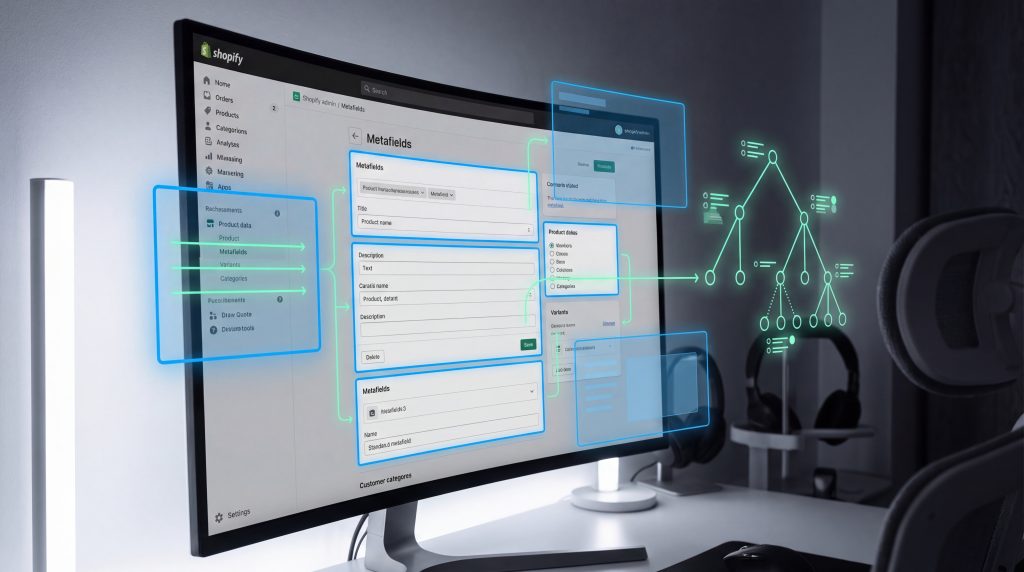
Complex Shopify catalogs rarely fail because Shopify lacks features. They fail because the data model underneath them becomes unmanageable. From the outside, the symptoms look familiar. Filters stop working correctly. Product pages show inconsistent information. Merchandising workflows slow down. Bulk edits become risky. Theme updates break unexpected areas. Most teams assume these are theme or app problems. In reality, they’re almost always data structure problems, specifically how Shopify metafields are used, governed, and scaled. I’ve refactored dozens of Shopify stores with large SKU counts 10,000 products, 100,000 variants, sometimes more. The pattern is consistent: metafields start as a flexible solution and gradually become a liability when they grow without structure. Used correctly, Shopify metafields are one of the most powerful tools available. Used carelessly, they quietly introduce performance risks, operational friction, and long-term scalability limits. This guide explains how to use Shopify metafields properly at scale from the perspective of someone who has cleaned up the mess after they’ve gone wrong. Why Shopify Metafields Become Critical in Complex Catalogs Shopify’s default product data structure is intentionally simple. Every product has: This works well for straightforward catalogs. But modern ecommerce rarely stays simple. As catalogs grow, businesses need to represent more complex attributes: This is where Shopify metafields become essential. Metafields allow you to extend Shopify’s native data model without custom infrastructure. They enable structured, reusable, queryable data attached to products, variants, collections, customers, and more. However, flexibility without discipline creates long-term problems. The Most Common Shopify Metafield Anti-Patterns Nearly every large catalog with metafield problems follows the same trajectory. The issues don’t appear immediately. They accumulate slowly. Here are the most common anti-patterns. 1. Ungoverned Metafield Sprawl This is the most dangerous and most common problem. It usually starts innocently. A team needs to store a new attribute, so they create a metafield. Later, another team creates a similar metafield without realizing it already exists. Over time, you end up with variations like: All representing essentially the same concept. This creates several problems: This is a classic Shopify data modeling failure. The platform isn’t the issue. The lack of governance is. 2. Inconsistent Naming Conventions Naming matters more than most teams realize. Metafields without clear naming standards quickly become confusing. Developers can’t reliably predict field names. Merchandisers don’t know which field to update. Integrations become fragile. Common examples of inconsistent naming: Consistency is not cosmetic. It’s structural. Without consistent naming, your Shopify product data structure becomes unpredictable. 3. Duplicate Attributes Across Multiple Metafields Another common mistake is storing the same logical attribute in multiple places. For example: Now there are three sources of truth. This creates operational risk: Eventually, customers see conflicting information. 4. Theme Logic That Assumes Perfect Data Themes often assume metafields exist and are formatted correctly. For example: Show size guide if metafield exists But at scale, data is rarely perfect. Some products are missing fields. Others use different formats. Without defensive data modeling, themes break silently. This is not a theme problem. It’s a data discipline problem. Core Principles of Shopify Metafield Governance Fixing metafield chaos doesn’t require abandoning metafields. It requires managing them properly. The goal is not fewer metafields. The goal is structured metafields. Principle 1: Treat Metafields Like a Schema, Not Notes Metafields are often treated like flexible notes fields. That works temporarily. It fails at scale. Instead, treat metafields like a schema: This transforms metafields from ad hoc storage into a structured system. This is the foundation of scalable Shopify data modeling. Principle 2: Define Naming Standards Early A good naming convention should be: Example structure: namespace: specifications key: material Result: specifications.material This makes metafields self-documenting. When naming is predictable, development and maintenance become significantly easier. Principle 3: Assign Ownership Every metafield should have an owner. Ownership answers questions like: Without ownership, metafields accumulate without accountability. This is where many Shopify metafields performance and maintainability problems originate—not in the platform, but in process. Principle 4: Avoid Redundant Data Each logical attribute should exist in exactly one place. Not multiple metafields. Not metafield plus tags. Not metafield plus theme assumptions. Single-source-of-truth discipline prevents long-term data conflicts. Principle 5: Plan for Change Catalogs evolve. New attributes appear. Old ones become obsolete. Without change management, metafields accumulate permanently—even when unused. Good governance includes: This keeps your Shopify product data structure clean over time. Shopify Metafields Performance at Scale Performance concerns usually appear once catalogs grow large. Metafields themselves are not inherently slow. Problems arise when they’re used without structure. Here’s what matters most. Query Efficiency When themes or apps request metafields inefficiently, performance suffers. This typically happens when: Clean structure improves query efficiency naturally. Rendering Complexity Themes that rely heavily on metafields for layout decisions become fragile. For example: This increases rendering complexity and maintenance risk. Structured metafields reduce this complexity. Maintainability at Scale The biggest performance issue isn’t page speed. It’s team speed. When metafields are poorly governed: This slows the entire organization. Migration Risks When Fixing Metafield Structures Many teams delay fixing metafields because they fear migration. This fear is justified but manageable. The real risks include: This is why migrations should be phased. Typical safe migration process: Never delete metafields before confirming replacements work correctly. Shopify Metaobjects vs Metafields: Understanding the Difference As Shopify has evolved, new structured data tools have become available. Metafields are ideal for extending individual entities like products. However, when data becomes more complex, alternative structured entities may be more appropriate. The key distinction: Metafields extend an object.Structured entities define reusable objects. For example: If “Material Guide” is reused across hundreds of products, structured entities provide better scalability. Metafields still play a critical role. The decision depends on: This is not about replacing metafields. It’s about using the right structure for the right purpose. Decision Framework: When to Use Shopify Metafields Shopify metafields work best when the data is: Metafields may not be ideal when the data is: The goal is not to eliminate metafields. It’s to prevent misuse. Good Shopify data modeling uses metafields intentionally not
Handling High-Volume Orders on Shopify Without System Failures

Growth exposes operational truth. At low order volume, systems appear stable because stress is low. Orders flow through dashboards. Inventory updates manually. Fulfillment teams keep up. Customer support responds in real time. Then a flash sale hits. Suddenly, orders spike 10× in minutes. Inventory sells faster than systems update. Fulfillment pipelines fall behind. Customers receive conflicting notifications. Support queues explode. Analytics becomes unreliable. This is the reality of shopify high volume orders when backend systems aren’t designed for peak load. From an engineering perspective, failures rarely happen because of the storefront itself. They happen because the operational systems behind Shopify cannot process, synchronize, and respond to rapid order volume safely. If you’re preparing for flash sales, influencer drops, product launches, or seasonal spikes, preventing system failure requires operational architecture not luck. This guide explains where failures occur, how to prepare your systems, and how to scale safely without operational collapse. What Failure Looks Like During High-Volume Order Events Most founders expect traffic spikes. What they don’t expect is operational breakdown. System failures during high-volume events don’t always appear as crashes. They appear as inconsistencies. Common symptoms include: Inventory failures Order processing delays Customer experience breakdown Fraud and payment risk exposure Analytics and reporting corruption These failures compound quickly. What begins as operational friction turns into lost revenue, damaged customer trust, and overwhelmed teams. Handling shopify high volume orders safely requires understanding where systems break first. Where Shopify Systems Break First at Scale Shopify’s core platform is highly resilient. Failures usually occur in integrations, automation, and backend workflows. Here are the most common failure points. 1. Inventory Synchronization Inventory is the most fragile system during rapid order spikes. At scale, inventory data must synchronize across: When order velocity exceeds synchronization speed, overselling happens. Example failure pattern: Result: This is one of the most common shopify scaling issues during rapid growth. Reliable inventory synchronization requires event-driven backend systems—not periodic updates. 2. Fulfillment Routing and Processing Order routing determines where and how orders are fulfilled. At low volume, routing delays are tolerable. At high volume, routing delays create cascading failures: Fulfillment systems must process orders continuously and reliably under load. If routing systems fall behind, the entire operational pipeline slows. 3. Fraud Detection and Risk Review Fraud detection systems rely on real-time processing. During high-volume events, fraud queues increase dramatically. Without scalable fraud review systems: Payment and fraud workflows must scale alongside order volume. 4. Customer Communication Systems Customer communication includes: Communication failures increase support load dramatically. Common failure pattern: Multiply this across thousands of orders, and support systems collapse. Customer communication automation must remain reliable during volume spikes. 5. Analytics and Operational Visibility Analytics systems often lag behind during peak load. This creates operational blindness. Teams cannot answer: Without visibility, teams cannot respond effectively. This is a critical but overlooked aspect of shopify operations scaling. Peak-Readiness Framework for High-Volume Shopify Operations Preventing system failures requires preparation across six operational layers. Each layer must be designed for peak conditions not normal conditions. Layer 1: Traffic and Storefront Stability Traffic spikes stress frontend and checkout systems. Key readiness factors include: Poor frontend performance reduces conversion and increases abandonment. But most failures occur after checkout, not before. Layer 2: Checkout and Order Capture Reliability Capturing orders reliably is critical. Failure scenarios include: Checkout must capture orders immediately and consistently. Reliable order capture is foundational to handling shopify high volume orders safely. Layer 3: Order Processing Pipeline Once orders are created, backend systems must process them. This includes: If this pipeline slows, operational backlog grows rapidly. Order pipeline resilience determines operational stability. Layer 4: Integration Infrastructure Most scaling failures occur in integrations. Critical integrations include: These systems must handle sudden load increases without failure. This is where experienced teams or a Shopify development Company provide architectural guidance. Integration reliability determines operational scalability. Layer 5: Fulfillment Infrastructure Fulfillment must scale alongside order volume. Key requirements include: Fulfillment delays cascade into customer dissatisfaction. Fulfillment readiness determines customer experience quality. Layer 6: Customer Experience and Support Systems Customer experience systems must scale operationally. This includes: Customer experience failures damage brand trust quickly. Reliable CX infrastructure protects customer relationships. Operational Playbook for Handling High-Volume Shopify Orders Preparation requires operational discipline. This is the framework backend teams use to prepare for peak load events. Phase 1: Pre-Flight System Validation Before flash sales or launches, teams must validate system readiness. Critical checks include: Inventory integrity validation Integration readiness verification Fulfillment readiness confirmation Analytics system verification Pre-flight checks prevent predictable failures. This phase is essential for shopify flash sale preparation. Phase 2: Monitoring and Operational Visibility During peak events, teams must monitor systems continuously. Critical monitoring areas include: Monitoring allows teams to detect issues early. Without monitoring, failures spread silently. Phase 3: War Room Operational Coordination High-volume launches require operational coordination. Engineering and operations teams must define clear responsibilities. Typical roles include: Integration monitoring lead Fulfillment coordination lead Customer experience lead Engineering response lead This structure ensures rapid response during peak load. Phase 4: Incident Response and Contingency Planning Even with preparation, failures can occur. Teams must prepare contingency plans. Examples include: Contingency planning prevents cascading operational failure. Shopify Order Processing Limits: What Actually Matters Shopify itself handles high order volumes effectively. Most operational bottlenecks occur outside Shopify. The true limits come from: Handling shopify high volume orders successfully depends on backend reliability not platform limits. This is why operational architecture matters more than storefront configuration. Signs Your Shopify Store Is Not Ready for High Volume Operational fragility reveals itself through warning signals. Common indicators include: Inventory inconsistencies Fulfillment delays Integration failures Analytics inconsistencies Support overload These signals indicate operational scaling risk. Ignoring them increases the probability of peak-load failures. How Engineering Teams Design for Peak Operational Resilience Reliable systems share common architectural principles. These include: Event-driven processing Asynchronous processing Failure tolerance Monitoring and visibility These principles allow systems to scale safely. An experienced Shopify development Company focuses on operational resilience—not just feature delivery. Why Flash Sales Expose Operational Weakness Flash sales
Shopify Webhooks Explained: Real-World Use Cases for Scaling Stores

Growth changes everything. At low volume, Shopify operations can run on dashboards, manual checks, and app notifications. Orders come in. Teams respond. Issues get fixed reactively. At scale, that breaks. High-volume stores need systems that respond instantly and automatically to what’s happening inside the platform. Orders. Refunds. Inventory changes. Customer updates. Fraud flags. That’s where shopify webhooks become foundational. From the perspective of a backend engineer building reliable Shopify event systems, webhooks aren’t “nice to have.” They’re the backbone of scalable ecommerce operations. If you’re running complex integrations, subscription logic, multi-warehouse fulfillment, or analytics pipelines, understanding shopify webhooks isn’t optional. It’s operational risk management. Why Event-Driven Architecture Matters in Shopify Operations Most scaling problems don’t start in the frontend. They start in disconnected systems. As brands grow, their stack expands: Each system needs real-time information. If your backend integrations rely on manual exports, scheduled polling, or fragile app logic, you create: Event-driven architecture solves this. Instead of asking Shopify repeatedly, “Has anything changed?” your systems are notified immediately when something changes. That notification mechanism is powered by shopify webhooks. What Are Shopify Webhooks? (Plain Explanation) Let’s simplify it. A webhook is a real-time alert. When something happens in Shopify an order is created, a product is updated, inventory changes, a refund is issued Shopify sends a structured notification to another system. Think of it like this: With shopify webhooks, Shopify pushes event data to your backend automatically. That event might say: Your systems receive that event and take action. This is the foundation of shopify event automation. No dashboards. No manual exports. No waiting. Just structured, real-time operational signals. Why Shopify Webhooks Matter for Scaling Stores Early-stage stores can survive with apps and notifications. Scaling stores cannot. As order volume increases, the cost of delayed or inconsistent data compounds. You don’t just lose efficiency. You lose money. That’s why shopify webhooks scaling conversations are common in enterprise migrations and integration overhauls. Let’s break down real-world use cases where webhooks become critical. Real-World Shopify Webhook Use Cases 1. Fulfillment Sync Across 3PLs and WMS Systems When an order is created, multiple downstream actions often trigger: If your warehouse system doesn’t receive the order immediately, you create: Using shopify webhooks, an order creation event is pushed directly to your fulfillment infrastructure. No delay. No polling lag. When scaling into multi-location or multi-3PL operations, webhook-driven systems are essential for maintaining fulfillment accuracy. This is one of the most common shopify webhook use cases implemented by any experienced Shopify development company. 2. Fraud Flags and Risk Mitigation Fraud tools rely on immediate signals. When an order is marked high-risk or payment status changes, your system must: If that signal is delayed, fraudulent orders ship. A properly architected shopify backend integration listens to risk-related webhooks and routes those events to fraud systems in real time. For high-volume brands, webhook latency directly affects fraud exposure. 3. Customer Experience Automation Customer experience automation often relies on: With webhooks, you can trigger: Without webhooks, teams rely on app chains that introduce fragility and delay. Event-driven CX automation reduces ticket volume and increases retention but only if the webhook system is reliable. 4. Inventory Synchronization Across Systems Inventory sync is one of the highest-risk areas in ecommerce. When inventory changes in Shopify, that information must update: If updates are delayed or duplicated, overselling happens. Inventory-based shopify webhooks allow backend systems to update inventory states instantly. However, this is also where reliability challenges appear which we’ll cover shortly. 5. Post-Purchase Workflow Orchestration Modern ecommerce doesn’t stop at checkout. Post-purchase flows may include: Each of these flows depends on order events. Using shopify event automation, webhook listeners trigger downstream processes immediately after order creation or fulfillment completion. This reduces lag and improves revenue expansion. 6. Analytics and Attribution Consistency Analytics inconsistencies are common at scale. When order edits, refunds, or subscription changes occur, your BI system must reflect them accurately. Webhook-driven data pipelines allow: Without reliable webhooks, reporting becomes inconsistent and marketing decisions degrade. For brands investing heavily in paid acquisition, webhook reliability Shopify infrastructure is non-negotiable. Reliability Pitfalls in Shopify Webhooks Here’s the part many teams overlook. Webhooks are powerful but fragile if poorly designed. As a backend engineer, these are the failure patterns I see most often. 1. Duplicate Events Webhooks can be delivered more than once. If your system processes duplicates without safeguards, you may: Every webhook-driven system must be idempotent meaning processing the same event twice produces the same result. Ignoring this is one of the most expensive scaling mistakes. 2. Missing Events Webhooks can fail to deliver if: If you don’t have monitoring and reconciliation logic, missing events create silent data drift. This is why webhook reliability Shopify architecture must include logging and verification mechanisms. 3. Retry Storms Shopify retries failed webhook deliveries. If your system is partially down, retries can pile up and overwhelm your infrastructure. Without queueing and rate management, retry storms can take down backend systems entirely. 4. Latency Assumptions Webhooks are near real-time not always instantaneous. If your automation assumes immediate state changes without confirmation, race conditions can occur. For example: Scalable webhook systems must account for sequencing and state validation. 5. Lack of Monitoring Many brands set up webhooks once and never monitor them. No event logs.No failure dashboards.No reconciliation checks. When something breaks, they find out days later. A reliable shopify backend integration always includes monitoring and alerting. If no one is watching your event system, it’s not production-ready. Shopify Webhooks vs Polling vs Manual Operations When should you use webhooks and when shouldn’t you? Here’s a practical framework. Use Webhooks When: This is where shopify webhooks scaling becomes essential. Use Polling When: Polling can serve as a backup validation layer to webhooks. Strong systems often combine both. Use Manual Operations When: Not everything needs event-driven automation. The key is alignment between operational complexity and architectural investment. When Webhooks Become a Scaling Bottleneck Here’s the uncomfortable truth. As stores scale, poorly architected webhooks become failure points. Common signs: At
Why Most Shopify Plus Migrations Fail (And How to Do Them Right)
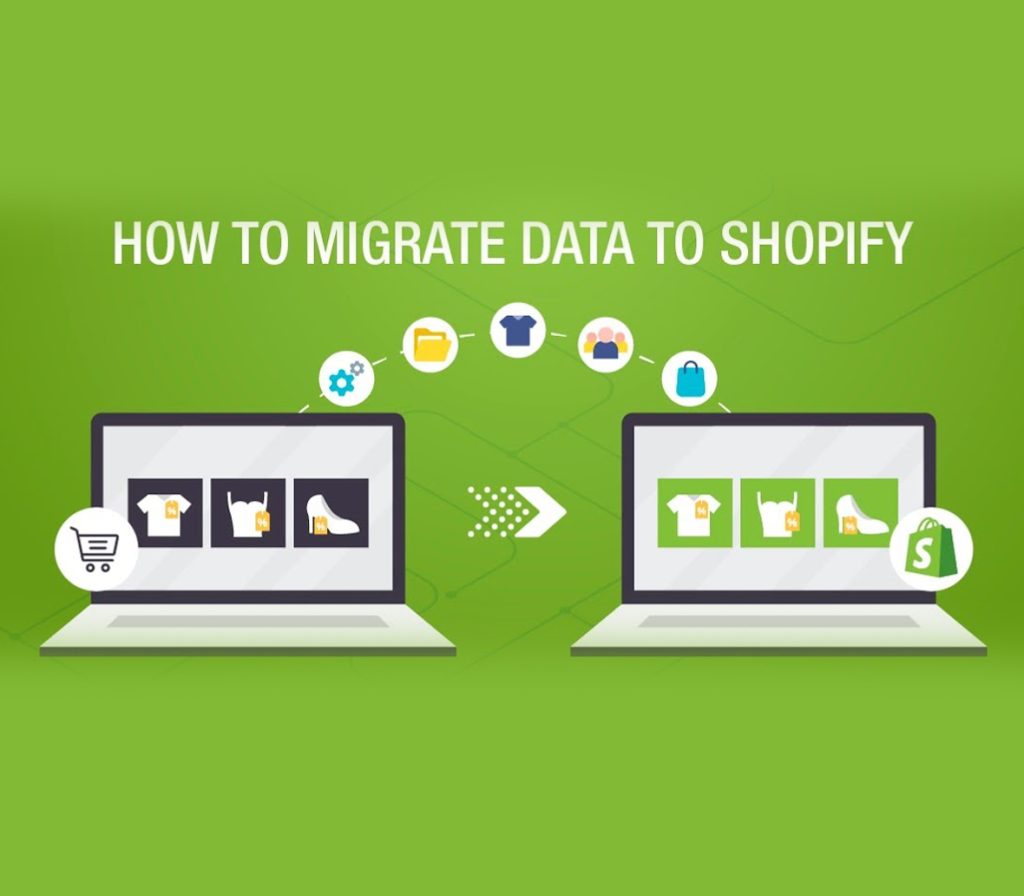
Growth-stage brands often treat a shopify plus migration as a technical upgrade. Bigger plan. More power. More flexibility. Problem solved. That assumption is where most failures begin. In reality, migrations fail for operational reasons far more often than technical ones. The code usually works. The store launches. Payments process. What breaks are workflows. Reporting. Fulfillment logic. Discount structures. Team processes. Attribution. Internal ownership. From the perspective of a team that has stepped into multiple rescue projects after troubled launches, the pattern is consistent: merchants underestimate how deeply their existing operations are wired into their current setup. A shopify plus migration is not a platform switch. It’s a systems transformation. If you’re planning to migrate to Shopify Plus, this is what actually goes wrong and how to avoid it. Migrations Fail for Operational Reasons, Not Just Technical Ones Most growth-stage merchants think about migration in terms of: Those matter. But they’re not what usually derail performance. The real failure points sit in: Shopify Plus doesn’t break businesses. Unexamined assumptions do. The Most Common Shopify Plus Migration Issues Across enterprise projects, 5-7 recurring failure modes show up again and again. 1. Data Model Assumptions Every ecommerce store develops invisible logic over time: During a shopify enterprise migration, teams assume data will “map cleanly.” It rarely does. When data architecture isn’t audited upfront, you see: Shopify Plus doesn’t fix messy data. It amplifies it. 2. Integration Fragility Most growth brands rely on: When you migrate to Shopify Plus, APIs, endpoints, and event flows often change. What teams underestimate: A migration that “works in staging” can collapse under production volume. Integration failures are one of the most expensive shopify plus pitfalls because they disrupt revenue directly. 3. Fulfillment Workflow Breakdowns Fulfillment logic is rarely simple at scale. You may have: If these workflows were patched together through apps and manual SOPs, migrating them requires architectural clarity. During a shopify plus migration, teams often replicate the frontend and forget to re-architect backend logic. The result? Orders stuck in limbo. Inventory mismatches. Ops teams overwhelmed. 4. Discount and Pricing Logic Chaos Discount logic is one of the most underestimated risk areas. Over time, brands accumulate: When migrating to Plus, checkout logic changes. Shopify Scripts or Functions behave differently. Third-party discount apps may not align. Suddenly: This category alone causes significant shopify plus migration issues in high-volume stores. 5. Tracking and Attribution Breaks You launch. Revenue flows. Then marketing reports look wrong. Common issues: At scale, even small tracking discrepancies distort ROAS calculations and decision-making. A successful shopify plus migration includes analytics architecture, not just frontend rebuilds. 6. Theme and App Fragility Many growth-stage brands arrive at Plus with a heavy app stack. Apps modifying: During migration: This is one of the most overlooked shopify plus pitfalls: assuming the existing stack scales cleanly. Often, it doesn’t. What Teams Consistently Underestimate Beyond technical risk, there are organizational blind spots. 1. Cutover Planning Launch day is not just flipping a DNS switch. Cutover requires: Without disciplined cutover planning, revenue interruptions are common. 2. Stakeholder Alignment A migration impacts: When these teams are not aligned: A successful shopify plus migration is cross-functional by default. 3. QA Depth Testing often focuses on: What gets missed: QA must simulate real operational complexity, not ideal scenarios. 4. Rollback Strategy Very few teams prepare for failure. Questions that should be answered in advance: A migration without rollback planning is a high-stakes gamble. The Right Way to Plan a Shopify Plus Migration The goal is not perfection. It’s controlled transformation. Below is a high-level planning model that reduces risk. Phase 1: Discovery This is where most migrations rush. Discovery should include: This phase defines shopify plus readiness. If you skip it, you build on assumptions. Phase 2: Architecture Before building anything: This is where many teams realize they don’t need to migrate everything. Architecture reduces complexity before development begins. Phase 3: Build Build should be: Avoid rebuilding historical chaos. Focus on core revenue-critical systems first. Phase 4: QA QA should include: Testing should mirror real business behavior. Phase 5: Cutover Cutover should be: No ambiguity. No improvisation. Phase 6: Stabilization Post-launch: Stabilization is not optional. It’s part of the migration. When Is Shopify Plus Actually Justified? Not every growth-stage merchant should migrate. Plus is justified when: Plus is premature when: A rushed shopify enterprise migration often adds complexity without solving core bottlenecks. A Simple Decision Framework Before committing, ask: If the answers are unclear, you are not ready. Why Shopify Migration Services Sometimes Fail Not all Shopify migration services are equal. Common vendor-driven mistakes: A capable Shopify development company should challenge your assumptions, not simply execute them. If your migration partner doesn’t push back on risk, that’s a warning sign. The Pattern Behind Failed Shopify Plus Migrations Across projects, failure usually follows this pattern: The issue isn’t Shopify Plus. It’s migrating without systems clarity. Shopify Plus Readiness Audit If you’re considering a shopify plus migration, the smartest first step is not development. It’s an evaluation. A Shopify Plus Readiness Audit should help you: Migration should feel controlled, not reactive. The goal isn’t simply to migrate to Shopify Plus. It’s to migrate for the right reasons, at the right time, with systems designed to scale not just launch. When executed thoughtfully, Shopify Plus can unlock powerful automation, checkout control, and enterprise flexibility. When rushed, it becomes an expensive lesson in operational fragility. Conclusion A successful shopify plus migration is not about upgrading plans. It’s about redesigning systems with clarity and ownership. The brands that win are the ones that audit data, stabilize workflows, align stakeholders, and plan cutover with discipline. Shopify Plus can unlock serious leverage, but only when operational foundations are strong. If your processes are undocumented, integrations fragile, or teams misaligned, migration will expose those weaknesses fast. Approach Plus as a strategic transformation, not a technical shortcut, and you dramatically reduce risk while protecting long-term growth. Scale Faster With Confidence. Get a Free Shopify and Web Architecture Review From Performantcode.io Experts. Identify Hidden
How to Fix Slow Shopify Stores Without Rebuilding From Scratch

When founders say their store feels “slow,” what they usually mean is that revenue efficiency is quietly eroding. Page loads stretch just long enough to lose impatient buyers. Conversion rates dip without a clear explanation. Paid traffic becomes more expensive because fewer visitors reach checkout. These aren’t cosmetic issues, they’re compounding business problems. For most brands doing $20k–$300k/month, the instinct is to assume the platform has hit its limits. In reality, the majority of teams can fix slow Shopify store performance without rebuilding themes, migrating platforms, or burning months of momentum. What “Slow” Actually Means (And Why Founders Misdiagnose It) Speed is not a single number, and this is where many Shopify performance conversations go wrong. A store can score “okay” in testing tools and still feel slow to real customers. At a practical level, Shopify performance issues usually fall into three measurable buckets: Largest Contentful Paint (LCP)This reflects how long it takes for the main visible content hero image, product title, or primary section to appear. When LCP is slow, users perceive the site as laggy even if other elements load quickly. Cumulative Layout Shift (CLS)CLS measures visual stability. If buttons move, images resize, or checkout elements jump while loading, customers hesitate. Even minor shifts can reduce trust and clicks. Time to First Byte (TTFB) This represents how long Shopify takes to start responding. While Shopify’s infrastructure is strong, excessive theme logic, app calls, or third-party scripts can delay meaningful rendering. Founders often sense these problems intuitively, but the causes are rarely obvious from the storefront alone. The Top 6 Root Causes of Slow Shopify Stores (Ranked by Frequency) After auditing dozens of revenue-producing stores, the same patterns appear repeatedly. These are the most common reasons teams struggle to fix slow Shopify store performance. 1. Theme Bloat From Incremental Customization Themes rarely start slow. They become slow. Over time, sections, snippets, and conditional logic pile up. Each customization solves a short-term need but increases rendering complexity. This is especially common when multiple vendors or freelancers touch the same theme. 2. App Scripts Loading on Every Page Apps are the single biggest contributor to Shopify site speed problems. Many inject scripts globally even when their functionality is only needed on specific templates. The cumulative effect is render blocking, delayed interaction, and inconsistent behavior across pages. 3. Unoptimized Media at Scale High-resolution product photography is essential, but poorly managed media pipelines create heavy payloads. Multiple hero images, background videos, and uncompressed assets often load before they are actually needed. 4. Tracking and Marketing Tags Analytics tools, heatmaps, ad pixels, and A/B testing scripts often stack without governance. Individually they seem harmless. Collectively they compete for browser resources and delay user interaction. 5. Inefficient Liquid Patterns Liquid itself is not slow, but misuse is. Deep loops, repeated object calls, and conditional rendering inside critical sections quietly inflate load times. These issues rarely surface without a deliberate review. 6. Third Party Widgets Outside Shopify’s Control Chat tools, review widgets, personalization engines, and upsell overlays frequently bypass Shopify’s optimization layer. When they fail or lag, they degrade both storefront and checkout experiences. What Most Shopify Speed Advice Gets Wrong Much of the advice founders encounter online is well-intentioned but incomplete. Just compress imagesImage optimization helps, but it rarely solves core performance issues on its own. Many slow Shopify stores already use optimized media yet still struggle with script execution and rendering delays. Vanity Lighthouse ScoresChasing perfect lab scores often leads teams to optimize metrics customers never experience. Real users care about perceived speed and stability, not abstract benchmarks. Random App RemovalDeleting apps without understanding dependencies frequently breaks functionality or shifts problems elsewhere. Speed improves briefly, then regressions follow. This is why experienced teams focus on systemic fixes rather than surface-level tweaks. A reputable shopify website design company approaches performance as an operational discipline, not a checklist. Optimize or Rebuild? A Practical Decision Framework One of the most important questions founders ask is whether optimization is enough or if a rebuild is unavoidable. Optimization Is the Right Path When: In these cases, rebuilding often introduces more risk than reward. Rebuilds Are Justified (Rarely) When: Most brands fall into the first category. They don’t need a new platform, they need disciplined performance engineering. This is where an experienced shopify website design company can add value without disruption. A Practical Remediation Roadmap (Without Tutorials) Fixing Shopify performance doesn’t require months of work. It requires sequencing. Week 1: Triage and Visibility Quick Wins Deeper Fixes Ongoing Monitoring This approach improves Shopify store speed optimization without destabilizing growth operations. Risk Controls: Speed Without Breaking Checkout Performance work fails when it creates regressions. High-traffic stores require guardrails. Many slow Shopify checkout issues emerge after well-meaning optimizations that weren’t validated properly. This is why seasoned teams move cautiously, even when fixes seem straightforward. Why Most Stores Don’t Need a Rebuild Rebuilding feels decisive. Optimization feels incremental. But incremental improvements compound faster and with less risk. In most cases, the stores that succeed focus on stability first, then speed. Founders often engage a shopify website design company assuming the recommendation will be a rebuild. In reality, experienced advisors spend more time preventing unnecessary rebuilds than executing them. A Practical Next Step If your store feels slower than it used to, the goal isn’t perfection, it’s recovery. A structured Shopify Performance Audit identifies which changes actually move revenue metrics, which risks to avoid, and which fixes can be applied safely. For brands navigating growth pressure, clarity is more valuable than dramatic change. Many teams consult a shopify website design company not to rebuild but to regain speed, stability, and confidence without starting over. Conclusion Slow Shopify stores are rarely the result of a single bad decision. They are the outcome of accumulated technical debt, unmanaged app growth, and performance trade-offs made under pressure to scale. The key takeaway is simple: most founders do not need to rebuild to regain speed. They need clarity, sequencing, and disciplined optimization. When performance is treated as
Shopify vs Headless Shopify: A Technical Decision Framework for Founders
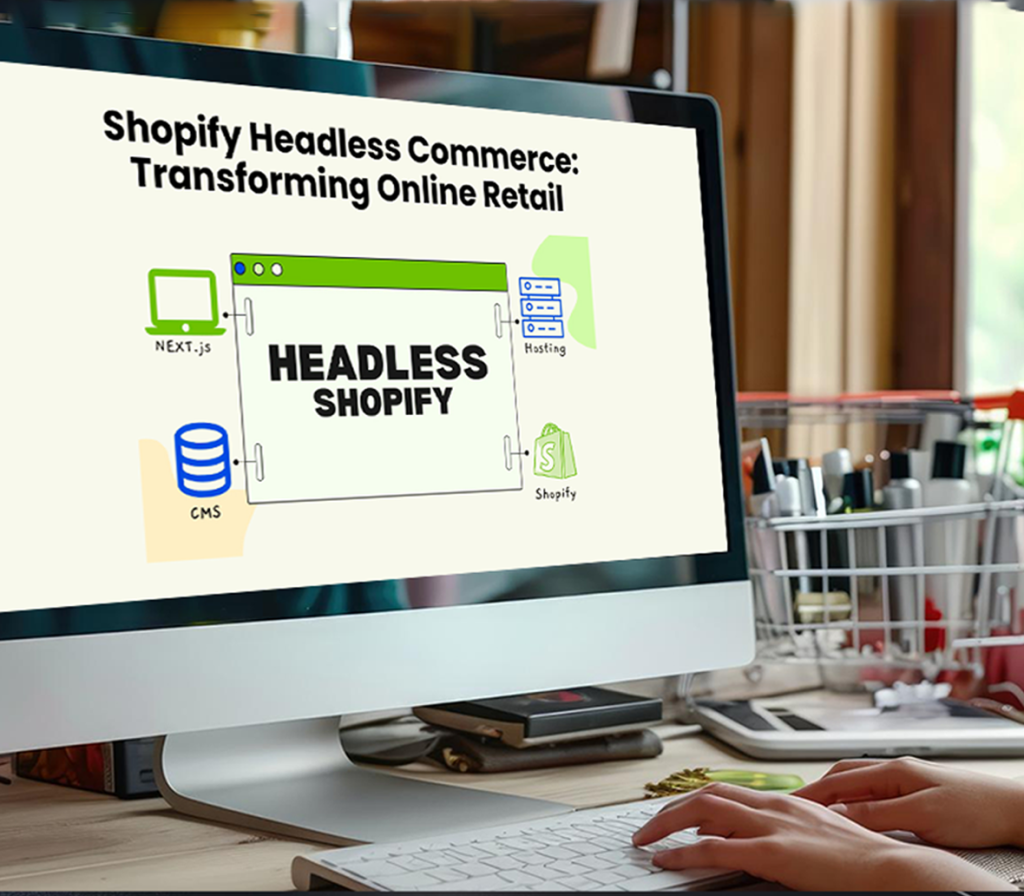
The conversation around shopify vs headless shopify usually begins when founders start feeling friction. The store may still be growing, but performance optimization feels harder. Merchandising becomes more complex. Product experiences begin pushing beyond what themes and apps comfortably support. At that stage, headless commerce often appears to be the next logical step. Speed, control, and omnichannel expansion are usually the driving motivations. Founders want storefronts that feel more like software platforms than templated ecommerce sites. They want deeper integration across content, mobile, and international experiences. Many begin exploring headless solutions after consulting a shopify app development company or technical advisor who introduces architectural alternatives. Sometimes that transition is justified. Often, it is not. From the perspective of a technical advisor who has implemented both traditional Shopify storefronts and full headless shopify architecture deployments, the biggest challenge is not technical implementation. The challenge is helping founders separate genuine architectural requirements from assumptions influenced by industry narratives. Headless Shopify is powerful. But it is not an automatic upgrade. It is a trade-off. Why Founders Consider Headless Shopify Most founders begin exploring headless Shopify when they encounter perceived limitations in traditional storefront architecture. These motivations usually fall into three categories. Performance Expectations Headless storefronts are often associated with faster load speeds and better user experiences. Case studies frequently highlight brands that achieved dramatic improvements after moving to headless builds, creating the perception that performance gains are guaranteed. While headless shopify performance can outperform standard storefronts, those gains only occur under specific conditions. Many performance problems originate from app overload, media optimization issues, or inefficient theme customization rather than platform limitations. Control and Custom Experience Design As brands mature, they often want to create differentiated shopping journeys. Product configurators, interactive storytelling, and highly personalized content are examples of experiences that push Shopify’s native rendering model to its limits. Headless Shopify allows teams to design frontend experiences without theme constraints, offering greater creative and technical flexibility. Omnichannel Commerce Requirements Brands expanding into mobile apps, global content platforms, or retail integrations frequently evaluate headless commerce shopify strategies. A decoupled architecture allows multiple customer experiences to operate from a single commerce backend. These motivations are legitimate. But they do not automatically justify the complexity headless introduces. What Headless Shopify Actually Solves Headless Shopify separates storefront presentation from Shopify’s backend commerce engine. Shopify continues managing catalog, checkout, payments, and order processing while the frontend is built independently. This architecture solves several specific challenges. Advanced Experience Customization Headless enables storefront experiences that behave like applications rather than traditional websites. This is especially valuable for brands offering complex products, bundled services, or deeply interactive purchase journeys. Multi-Frontend Commerce Infrastructure A single Shopify backend can support multiple frontends, including websites, mobile apps, and embedded shopping experiences. For brands managing global or multi-channel ecosystems, this architectural flexibility can be transformative. Independent Frontend Development Headless storefronts allow frontend teams to deploy updates independently from Shopify theme workflows. For organizations with mature product teams, this can accelerate innovation when managed effectively. However, founders often misunderstand what headless does not solve. What Headless Shopify Does NOT Solve One of the most common misconceptions in the shopify vs headless shopify discussion is the belief that headless automatically improves overall business performance. Headless does not inherently: Instead, headless shifts responsibility. Shopify handles commerce infrastructure, but storefront performance, hosting reliability, and frontend stability become the responsibility of your internal or external engineering team. Many founders first encounter this reality after engaging a shopify app development company to build headless storefronts and discovering that long-term operational ownership is significantly larger than expected. Performance Comparison: Traditional Shopify vs Headless Shopify Performance is usually the first comparison founders evaluate, but it requires careful interpretation. Traditional Shopify Performance Shopify storefronts benefit from highly optimized hosting, global content delivery, and integrated caching infrastructure. When themes are engineered correctly and apps are managed strategically, traditional Shopify can deliver strong Core Web Vitals and fast page load speeds. Most performance issues arise from: In these scenarios, rebuilding the storefront architecture rarely solves root performance problems. Headless Shopify Performance Headless storefronts allow teams to control rendering strategies, caching layers, and asset optimization at a granular level. This flexibility enables advanced performance tuning and scalability strategies. However, headless environments also introduce new risks. Poorly implemented headless storefronts often perform worse than optimized Shopify themes because performance optimization becomes the responsibility of development teams rather than the platform. Development Complexity Complexity is where traditional and headless Shopify diverge significantly. Traditional Shopify Development Shopify’s integrated ecosystem reduces engineering overhead. Checkout infrastructure, hosting reliability, platform updates, and security compliance are largely handled by Shopify. This allows teams to focus primarily on growth, merchandising, and customer experience optimization. Headless Shopify Development Headless storefronts introduce distributed architecture that requires managing: The shopify headless drawbacks here are operational, not theoretical. Every integration introduces potential failure points, testing complexity, and long-term maintenance responsibilities. Cost and Maintenance Cost comparisons between traditional Shopify and headless builds are often underestimated during early decision phases. Traditional Shopify Cost Structure Standard Shopify storefronts typically involve predictable investments: Ongoing maintenance remains manageable because Shopify absorbs platform-level evolution. Headless Shopify Cost Structure Headless implementations introduce both upfront and continuous operational costs, including: Many brands remain dependent on a shopify app development company long after launch because headless architecture requires specialized maintenance expertise. Operational Overhead Operational workflows change dramatically after moving to headless Shopify. Traditional Shopify Operations Marketing and merchandising teams can execute promotions, update content, and modify storefront experiences with minimal developer involvement. This enables rapid experimentation and iteration. Headless Shopify Operations Headless storefronts frequently require engineering involvement for changes that would normally be handled within Shopify’s theme environment. Marketing teams often rely on development resources for layout changes, performance improvements, and feature rollouts. For growth-driven brands, this operational dependency can slow experimentation velocity. Common Founder Misconceptions About Headless Commerce Across architecture consultations, several misconceptions consistently influence headless adoption decisions. Headless Equals Enterprise Capability Enterprise capability depends on operational maturity, not architecture alone. Many high-revenue Shopify stores continue operating
When Shopify Apps Become a Liability: Performance and Security Risks

For most Shopify stores, third-party apps start as leverage. They solve problems quickly, add features without engineering effort, and let founders move fast. At a lower scale, this trade off often makes sense. But as revenue grows and operational complexity increases, that same app layer can quietly become a source of instability, performance drag, and security exposure. From the perspective of a senior Shopify app development company that has audited and stabilized dozens of app-heavy stores, the pattern is consistent. Stores rarely fail because of one bad app. They degrade gradually. Pages load a little slower each month. Checkout behavior becomes inconsistent. Small bugs appear and disappear. Conversion drops without a clear cause. In many cases, the root issue traces back to shopify app performance issues caused by cumulative app bloat rather than any single technical mistake. This article breaks down when Shopify apps stop being leveraged and start becoming a liability and how founders should think about reducing risk without ripping out critical functionality The Business Impact of App Bloat App-related problems rarely announce themselves clearly. Instead, they show up as second order effects: Founders often suspect ads, themes, or Shopify itself. In fact, it’s usually too many Shopify apps that make things slower over time. Even though each app is “small,” they all work together to make a system that isn’t very stable and no one person owns it. How Shopify Apps Create Performance Overhead People often think that apps only affect performance when they are being used. In practice, many apps introduce background overhead regardless of whether their features are visible on a given page. Client-Side Scripts and Render Blocking Many apps inject JavaScript into the storefront. These scripts often load synchronously, block rendering, or compete for main-thread execution. When multiple apps do this, the result is a slow and jittery user experience. This is the most common cause of Shopify apps slowing down store performance. API Calls and Data Fetching Apps frequently make API calls to fetch pricing rules, personalization data, or customer state. These calls add latency and can fail silently under load. When several apps depend on real-time data, the failure modes multiply. Webhooks and Background Processing Apps also use webhooks to make orders, update customers, change inventory, and do other things. Webhook traffic goes up as the number of apps goes up. If this doesn’t go well, it could cause problems later on, like delayed fulfillment, wrong tagging, or broken automations. DOM Manipulation Conflicts Many apps try to change the same things, like the cart drawers, the checkout UI, and the product forms. This leads to shopify app conflicts where features override each other depending on load order, browser, or device. None of this is inherently “wrong.” But it becomes risky when no one evaluates the system as a whole. Security and Compliance Risks Introduced by Apps Performance issues are visible. Security risks are not. Every third-party app requires permissions. Some need access to orders, customers, pricing, or even payment-related data. Over time, stores accumulate apps that were installed for short-term experiments and never fully removed. Each one remains a potential exposure. Over-Permissioned Access A lot of apps ask for access scopes that are bigger than what they really need. Founders quickly give their approval so that the app can move forward. These permissions stay in place even if the app isn’t used much. Vendor Churn and Abandoned Apps The app ecosystem on Shopify changes all the time. People buy apps, stop using them, or delete them. When vendors leave, stores are left with code that isn’t being updated and unclear ways of handling data. People don’t often think about this as a common source of security risks for Shopify apps. Data Handling and Compliance Gaps Apps might store customer data in a place you can’t get to directly. This makes it harder to follow privacy laws and makes audits and disagreements more likely to go wrong. In stores with a lot of apps, security problems are not usually caused by people who want to do harm. They happen because people can’t see them or own them. Common Failure Patterns in App-Heavy Stores The same patterns show up over and over again in audits: When founders do something, they often react to symptoms instead of getting to the bottom of the problem. When Shopify Apps Are the Right Tool This is not an argument against apps altogether. Shopify apps are appropriate when: Used deliberately, apps remain one of Shopify’s strengths. When Apps Become a Liability Apps tend to become liabilities when: At this point, founders should consider whether it’s time to replace Shopify apps with custom development for critical paths. A Decision Framework for Replacing Apps with Custom Development Replacing apps does not mean rebuilding everything from scratch. It means being selective. Custom development is often justified when: Custom solutions reduce external dependencies and give teams clearer control. They also simplify debugging and future changes. The goal is not fewer apps, it’s fewer unknowns. Reducing Risk Without Disrupting the Business The most effective teams don’t rip out apps impulsively. They audit, prioritize, and sequence changes carefully. This often reveals that a small subset of apps causes most of the instability. In many cases, replacing or removing just a few high-impact apps resolves the majority of shopify app performance issues while leaving the rest intact. A Practical Closing Perspective Most Shopify stores don’t suffer because they use apps. They struggle because app usage accumulates without strategic oversight. Over time, performance and security risks compound until the store becomes fragile. Before adding another app or assuming Shopify is the bottleneck it’s worth stepping back and evaluating the system holistically. A Soft Next Step A Shopify App & Performance Audit is designed to answer three questions: It’s not about reducing functionality. It’s about restoring control, performance, and confidence in a store that’s meant to scale without surprises. Conclusion Shopify apps are great, but if you don’t keep an eye on them, they can become a