
Shopify Headless Commerce: What It Is and Whether Your Business Needs It

A Concept Worth Examining Carefully Few topics in eCommerce generate as much confident assertion and as little practical clarity as headless commerce. It is discussed in agency proposals, referenced in technology conference sessions, and promoted by platform providers as the architecture of serious, forward-thinking businesses. For business owners who are not developers, navigating that noise to reach a clear-eyed assessment is genuinely difficult and even experienced Shopify development services teams will tell you the honest answer depends entirely on your specific business circumstances. The difficulty is compounded by the fact that the answer is genuinely different for different businesses. Headless commerce is not a universal upgrade. It is an architectural approach that solves specific problems exceptionally well and creates significant operational complexity for businesses that do not have those problems. Understanding which category your business falls into before committing resources in either direction is the entire point of this article. What follows is a structured explanation of what Shopify headless commerce actually means, what business circumstances create a genuine case for it, what it costs in development investment and ongoing complexity, and how to assess your own situation honestly. The goal is not a recommendation. It is the information needed to make the right decision for your business. What Headless Commerce Means in Plain Terms Traditional Shopify operates as a unified system. The backend which manages your products, inventory, orders, pricing, customer accounts, and payment processing and the frontend which is the visual storefront your customers see and interact with are delivered together. Your Shopify theme controls how the frontend looks and behaves, and it operates within the constraints that Shopify’s theme architecture defines. For the vast majority of merchants, this is not a limitation. It is a well-designed, well-maintained framework that handles an enormous range of commercial requirements reliably and efficiently. Headless commerce separates those two layers. In a headless Shopify implementation, the backend commerce engine continues to do everything it does managing products, processing orders, handling payments, and maintaining customer data but it no longer renders the storefront directly. Instead, it exposes its data and functionality through APIs. A separate frontend application, built independently using modern web development frameworks, calls those APIs to retrieve product information, pricing, inventory status, and cart data, and renders the customer experience entirely outside of Shopify’s native theme system. The practical consequence of this separation is that the frontend has no constraints imposed by Shopify’s theme architecture. Every aspect of the customer experience page structure, loading behavior, interaction design, content presentation, and delivery across different devices and channels is fully controllable by the development team building the frontend application. That degree of control is powerful. It is also expensive to build, complex to maintain, and unnecessary for businesses that do not require it. The Business Problems Headless Commerce Actually Solves Headless commerce exists because traditional coupled architectures have real limitations at a certain level of scale and complexity. Understanding those limitations is the clearest path to understanding whether headless commerce belongs in your business. The most frequently cited advantage is performance. Shopify’s native themes are genuinely performant, particularly with the Online Store 2.0 architecture. For most businesses, a well-built and properly optimized Shopify theme delivers page load performance that is commercially adequate and technically sound. But there is a ceiling to what theme-based optimization can achieve, and for businesses operating at high transaction volumes where conversion rate is highly sensitive to page speed where shaving two hundred milliseconds off time-to-interactive translates to measurable revenue improvement the ability to engineer a frontend with complete control over every performance variable is genuinely valuable. Multi-channel commerce is a second substantive use case. A conventional Shopify theme renders a web storefront. A headless frontend can deliver the same commerce backend’s product catalog, pricing logic, and cart functionality to a web store, a native mobile application, an in-store kiosk, or any other customer touchpoint simultaneously. For businesses genuinely operating across multiple channels where maintaining separate product and inventory management systems for each channel creates significant operational overhead the architectural unification that headless enables has real commercial value. Content complexity is a third driver. Some businesses operate at the intersection of editorial publishing and commerce in ways that Shopify’s built-in content tools cannot fully accommodate. Brands with sophisticated content marketing strategies, media companies that sell products, or retailers whose customer acquisition is driven primarily by editorial content often find that connecting a purpose-built headless CMS Contentful, Sanity, or similar to Shopify’s commerce backend delivers a content management and delivery capability that no theme-based approach can replicate. Finally, there are businesses whose competitive differentiation is embedded in the customer experience itself in a purchasing flow, a personalization engine, a configurator, or an interaction pattern that is proprietary and central to the brand. For these businesses, the constraints of any theme architecture are a strategic limitation. Headless removes those constraints entirely. What Headless Commerce Costs: An Honest Assessment The commercial case for headless commerce cannot be evaluated without an equally clear assessment of its costs. Those costs are substantial, and they are not always presented prominently by the agencies and platform providers who stand to benefit from headless project engagements. The development investment required to build a headless Shopify storefront is categorically different from the investment required to build a theme-based one. A well-executed Shopify theme project, delivered through experienced Shopify development services, might take weeks and cost a fraction of what a headless implementation requires. A headless project is a full software development engagement designing an application architecture, building API integrations, implementing caching and performance infrastructure, managing deployment and hosting pipelines, and creating a system that can be maintained and evolved by a competent engineering team. For most businesses, this represents a six-figure investment before the first real customer transaction occurs on the new architecture. The ongoing maintenance commitment is equally significant. A headless frontend is a software application that requires software engineering to maintain. When Shopify updates its Storefront API which it does, regularly the frontend application needs
How to Migrate to Shopify Without Losing Revenue, SEO, or Customer Data
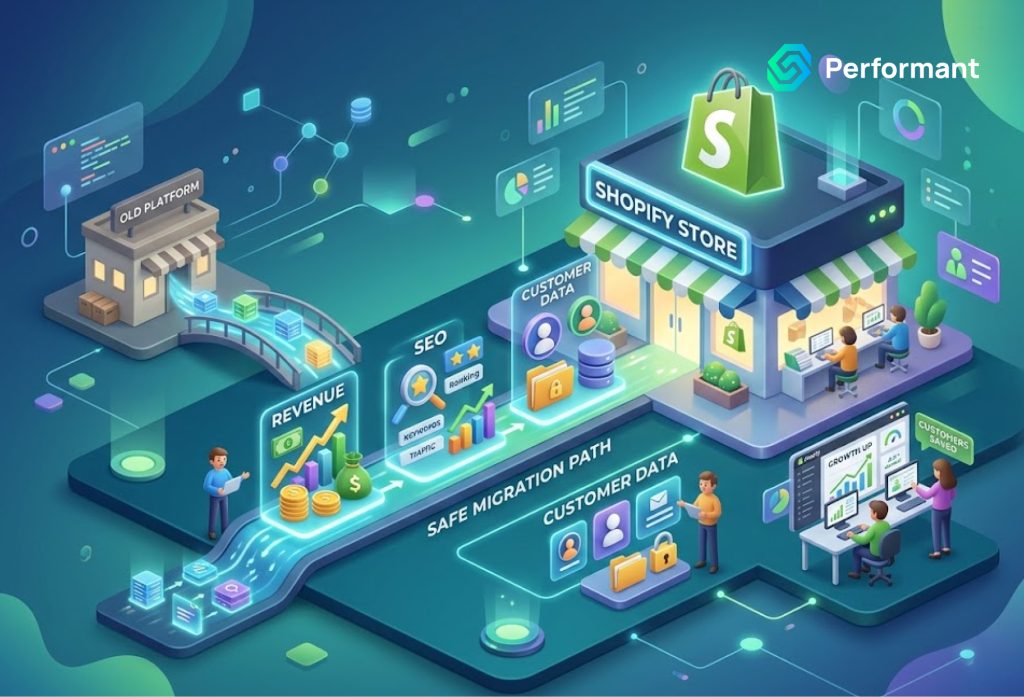
The Stakes of Getting This Right There is no neutral outcome in a platform migration. You either execute it with enough precision to preserve what you have built your search rankings, your customer relationships, your conversion performance or you absorb losses that can take months or years to fully recover. For business owners considering a move to Shopify, that reality deserves to sit at the center of every decision made throughout the process, often supported by experienced shopify development service providers who understand the stakes. The appeal of Shopify is well-founded. Its managed infrastructure removes the hosting and maintenance burden that weighs on self-hosted platforms. Its ecosystem of tools, payment infrastructure, and third-party integrations is mature and well-supported. Its performance characteristics, particularly for mobile commerce, are strong. For businesses that have outgrown the operational complexity of their current platform, Shopify represents a genuinely superior operating environment. But arriving there without damage requires something that the platform itself cannot provide: a disciplined migration process built around protecting the three things that define your store’s commercial health: your organic search traffic, your customer data, and your revenue continuity. This article is a structured guide to that process, written for business owners who understand that the quality of this transition determines the quality of what comes after it. Before You Begin: The Assessment Phase Most Businesses Skip The most consequential work in a Shopify migration happens before a single piece of data is moved. It happens in the assessment phase, where the full scope and complexity of what needs to be migrated is documented, analyzed, and planned for. Business owners who skip or rush this phase invariably discover its importance later at a moment when the cost of discovery is far higher. A thorough pre-migration assessment covers four distinct areas. The first is your current platform’s technical inventory. Every URL, every data structure, every third-party integration, every custom functionality, and every piece of content that lives on your current store needs to be catalogued. This is not a casual exercise. It requires crawling your entire site to capture the full URL map, auditing your plugin or extension stack to document what each component does and how it affects your data, and identifying any customizations that diverge from the platform’s standard behavior. What you discover in this inventory defines the scope of the migration project. The second area is your SEO profile. Which pages on your current store generate organic search traffic? Which carry inbound links from external websites? Which rank for keywords that drive qualified visitors? The answers to these questions need to be pulled from Google Search Console and your analytics platform before migration begins. This data becomes the baseline against which post-migration performance is measured and it identifies precisely which pages and URL structures need to be protected through the redirect strategy. The third area is your customer data structure. How is customer information currently stored? What fields exist beyond standard name, email, and address data? What is the state of your order history, and how does it associate with customer records? For businesses whose current platform was built or significantly customized through professional Shopify development services or equivalent expertise, the data structure may be considerably more complex than the standard platform schema and that complexity needs to be understood before migration planning can be credible. The fourth area is your integration map. Every system that connects to your current store, your email marketing platform, your ERP, your accounting software, your CRM, your shipping carrier integrations, your loyalty program needs to be documented with its current configuration, and its Shopify equivalent or replacement needs to be identified. Gaps discovered here become items on the migration plan, not surprises after launch. Protecting Your SEO: The Technical Foundation Search engine optimization built over years is one of the most fragile assets in a platform migration. It is intangible, it is not exported in any data file, and it can be significantly damaged by technical decisions that look inconsequential to someone who does not fully understand how search engines evaluate and rank pages. The core of SEO protection in a Shopify migration is URL management. Every platform has its own URL structure, and Shopify’s is different from virtually every other major eCommerce platform. Shopify enforces specific URL patterns /products/ for product pages, /collections/ for category pages, /pages/ for static content pages, /blogs/ for editorial content. If your current platform uses different URL structures, every page that changes its URL needs a 301 redirect pointing from the old URL to the new one. A 301 redirect signals to search engines that a page has permanently moved to a new address. It transfers the majority of the ranking authority accumulated at the old URL to the new one. Without it, that authority is abandoned. The old URL returns a 404 error, any inbound links pointing to it become dead ends, and the search engine treats the new URL as a brand-new page with no history. For a page that has been ranking on the first page of Google for a competitive keyword, that is a significant commercial loss. Redirect implementation at the scale of a full site migration requires a systematic approach. Your pre-migration URL crawl provides the source list. Your Shopify URL structure provides the destination list. Mapping one to the other, verifying the logic of each redirect, testing every redirect before go-live, and monitoring for redirect errors in Google Search Console after launch is the workflow. It is methodical, it is time-intensive, and there is no shortcut that produces equivalent results. Beyond redirects, metadata preservation is critical. Every title tag and meta description that contributes to a page’s click-through rate from search results needs to be migrated accurately to the corresponding Shopify page. Auto-generated metadata based on product titles and default templates is not a substitute for the carefully crafted metadata that has been refined over time to maximize search visibility. The migration plan needs to include explicit steps for metadata transfer and
Custom Shopify Development vs. Off-the-Shelf Apps: What Business Owners Must Know
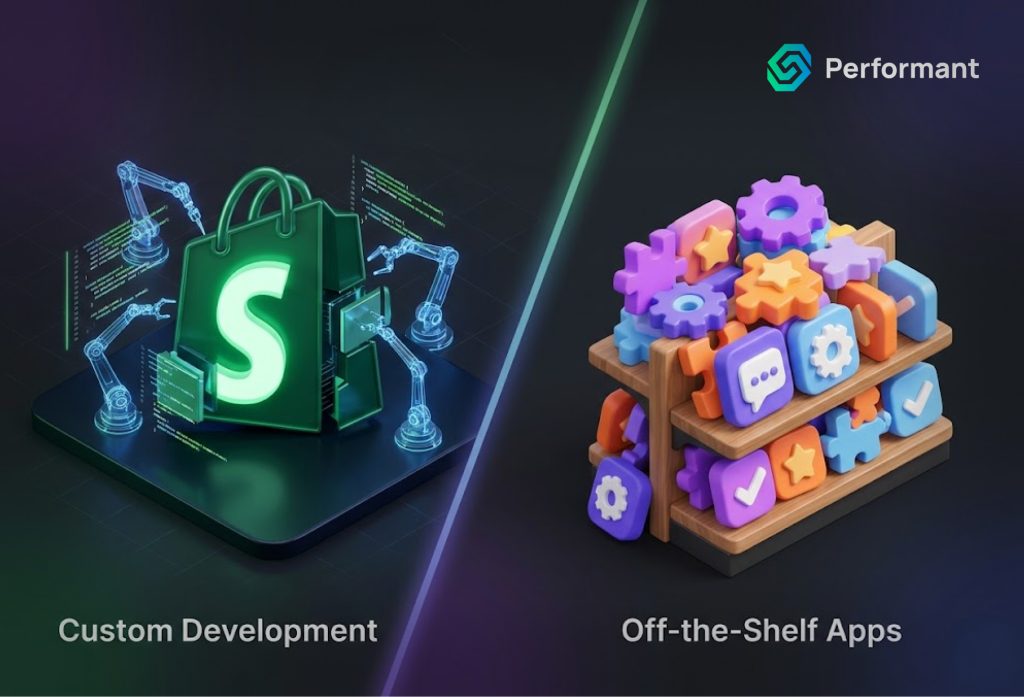
The Decision That Shapes Your Store’s Ceiling Every Shopify business owner reaches a point where the platform’s default capabilities feel insufficient. A feature you need does not exist natively. A workflow your operations require cannot be automated. A customer experience you want to deliver is not possible with your current setup. The question that follows is one of the most consequential you will make for your store’s technical future: do you install an app, or do you build a custom solution, often through a trusted shopify development service? On the surface, this looks like a simple cost-versus-convenience trade-off. In practice, it is a strategic decision that shapes your store’s performance, scalability, operational efficiency, and ultimately, its competitive ceiling. Business owners who understand this distinction make better technology investments. Those who do not tend to accumulate a growing stack of apps that conflict with each other, slow their store, inflate their monthly costs, and still fail to do exactly what the business needs. This article lays out the full picture of what off-the-shelf apps genuinely offer, where they fall short, what custom development actually involves, and how to think about which approach is right for your specific situation at your specific stage of growth. What Off-the-Shelf Apps Are Built to Do The Shopify App Store contains over ten thousand applications covering virtually every conceivable eCommerce function reviews, loyalty programs, subscriptions, upsells, shipping automation, inventory management, email capture, size guides, currency conversion, and hundreds of categories beyond these. For most standard use cases, particularly in the early stages of a store’s growth, these apps solve real problems quickly and affordably. The fundamental design principle behind off-the-shelf apps is scale. A developer builds a single solution and sells it to thousands of merchants. Because the development cost is distributed across a large user base, the per-merchant price is low. A subscription review app that might cost $30 a month to license represents a product that costs its developer tens of thousands of dollars to build. You are accessing that functionality at a fraction of its actual development cost. This is a genuine advantage, and it should not be dismissed. For a store generating $20,000 a month in revenue, installing a $29 loyalty app that drives meaningful repeat purchase behavior is an entirely rational decision. The economics work clearly in favor of the app. The limitations, however, are structural rather than incidental. Off-the-shelf apps are built to serve the broadest possible market, which means they are designed around the most common use cases, not your specific one. When your business requirements diverge from the common case and as you grow, they increasingly will meet the app’s constraints. Where App-Based Solutions Begin to Break Down The Performance Cost Is Real and Compounding Every Shopify app you install has the potential to add code to your storefront. Review widgets, chat tools, loyalty interfaces, and upsell modules all inject JavaScript and CSS into your theme files. Individually, the performance impact of any single well-built app is manageable. Collectively, across a store running eight, ten, or twelve apps simultaneously, the cumulative effect on page load time can be severe. This matters commercially in ways that are directly measurable. Google’s research consistently demonstrates that mobile page load time has a direct and significant relationship with conversion rate. A store loading in two seconds converts meaningfully better than the same store loading in four seconds. Every additional render-blocking script added by an app installation is a small tax on your conversion rate and those taxes compound silently as your app stack grows. Custom development, by contrast, builds functionality directly into your theme or as tightly integrated backend logic, without the bloated generic code that consumer-facing apps carry to accommodate thousands of different merchant configurations. A custom-built loyalty module does exactly what your store needs and nothing else. It loads faster, integrates more cleanly, and does not conflict with other parts of your codebase. App Conflicts Are an Underappreciated Risk When multiple apps modify the same theme files as many loyalty, upsell, cart, and review apps do, the risk of conflict grows with each addition. One app’s JavaScript interferes with another’s. A cart modification made by your subscription app breaks the behavior expected by your upsell app. A theme update resolves one conflict and introduces another. Diagnosing these conflicts is time-consuming, and the solution is rarely elegant when it involves reconciling code written by different development teams for different purposes. This is not a theoretical risk. It is one of the most common technical complaints among scaling Shopify merchants, and it is almost entirely avoidable with a well-architected custom development approach where a single team owns the full codebase and is accountable for how all components interact. Customization Has a Hard Ceiling Off-the-shelf apps offer settings panels with configuration options. They do not offer genuine customization. You can adjust what the developer anticipated a merchant might want to adjust. You cannot change the fundamental logic, the data structure, the user interface beyond preset options, or the integration behavior beyond what the app’s API exposes. For a business with standard needs, this ceiling is high enough. For a business with a differentiated model, a complex B2B pricing structure, a bespoke subscription logic, a loyalty program tied to specific behavioral triggers, a product configurator with unique rules the ceiling is reached quickly, and the frustration that follows is significant. You have invested in a tool that almost does what you need, and “almost” in eCommerce is a word that costs revenue. What Custom Shopify Development Actually Provides Custom development is not simply “the expensive version” of an app. It is a fundamentally different approach to building store functionality, one that begins with your business requirements rather than a pre-existing feature set. When you engage professional Shopify development services to build a custom solution, the process starts with understanding how your business actually operates. What does your checkout flow need to handle? How does your pricing logic work? What data does your team
Fix Broken Shopify Theme After Update: What Business Owners Need to Know
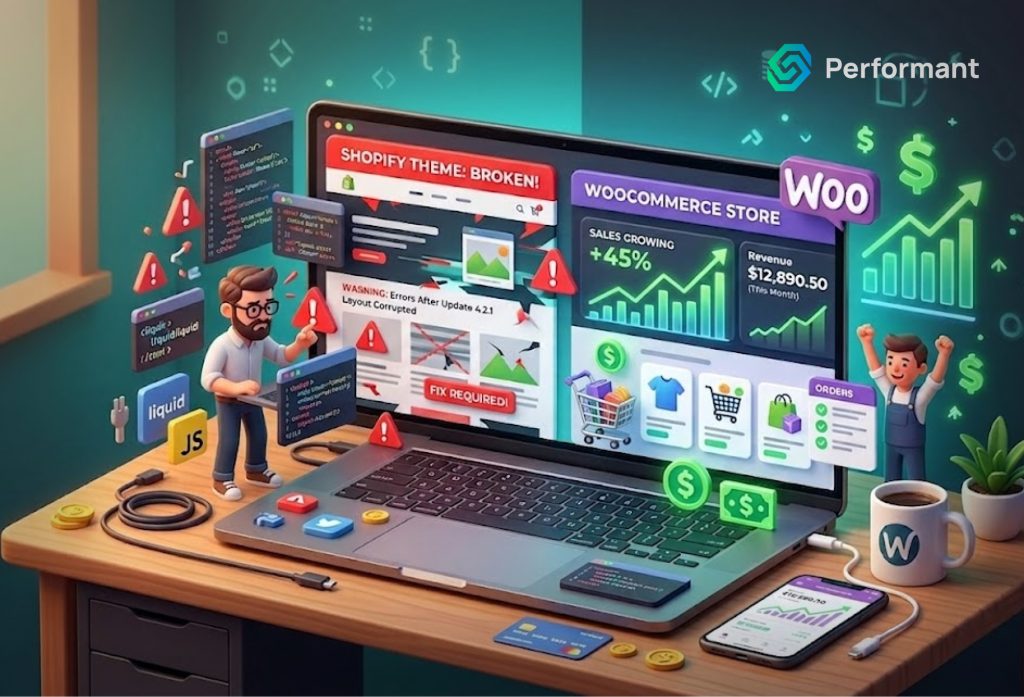
There is a particular kind of frustration reserved for the moment you realize your Shopify store is broken not because of anything you did wrong, but because of something that was supposed to make it better. A theme update pushed through, a Shopify platform change rolled out, and suddenly your homepage layout has collapsed, your navigation menu has disappeared, your product pages look nothing like they did yesterday, or worse, your checkout flow is throwing errors. For business owners, this is not an abstract technical problem. Every hour your storefront is visually broken or functionally impaired is an hour you are losing conversions. Customers who encounter a poorly rendered page do not wait around for it to be fixed. They leave, and in most cases, they do not come back. This article addresses the full picture: why Shopify themes break after updates, what the most common failure patterns look like, how to approach diagnosis intelligently, and when the situation calls for professional Shopify development services rather than an attempted self-repair that risks compounding the damage. Understanding Why Shopify Theme Updates Break Things To make informed decisions about how to respond when a theme breaks, it helps to understand why it happens. The reasons fall into several distinct categories, and knowing which one applies to your situation determines the appropriate response. Platform-Level Changes From Shopify Itself Shopify is a living platform. It is continuously updated, improving performance, introducing new commerce features, deprecating old APIs, and advancing its underlying technology stack. When Shopify introduced Online Store 2.0 as its new theme architecture, for example, stores running older themes suddenly found themselves on a fundamentally different platform than the one their themes were designed for. Features that relied on deprecated Liquid template syntax stopped rendering correctly. Metafield integrations that worked under the old system required rebuilding. These platform transitions are not failures on Shopify’s part; they represent genuine progress. But they create real operational risk for businesses running customized or older themes that have not been maintained to keep pace with platform evolution. If your theme was built two or three years ago and has not been actively updated, a Shopify platform release can expose that technical debt instantly and visibly. Theme Developer Updates That Conflict With Your Customizations If you are running a purchased theme from the Shopify Theme Store Debut, Dawn, Impulse, Turbo, or any of the dozens of popular commercial options that theme receives periodic updates from its developer. Those updates might fix bugs, improve mobile performance, add new section types, or maintain compatibility with Shopify’s evolving codebase. In principle, this is a good thing. In practice, however, accepting a theme update without understanding what it changes is one of the most reliable ways to break a store that has been customized. When a developer’s theme update overwrites template files, stylesheet sections, or JavaScript modules that your development team modified, your customizations are erased. The update installs cleanly because it is technically valid code but your store no longer looks or functions the way your business requires. This is one of the core arguments for working with professional Shopify development services that maintain proper version control and change documentation for every customization made to your theme. Without that infrastructure, each theme update becomes a gamble. App Conflicts Triggered by Theme Changes The average Shopify store runs between six and fifteen installed apps. Many of those apps inject code directly into your theme files adding review widgets, loyalty program interfaces, upsell modules, custom cart drawers, or shipping calculators. When a theme update modifies the template files those apps depend on, the injected code may lose its anchor points, generate JavaScript errors, or render in the wrong place entirely. The resulting breakage can be bewildering because it is not immediately obvious that an app conflict is the cause. A layout that looks fine on desktop but collapses on mobile, a cart drawer that no longer opens, a product page that loads slowly or partially these symptoms can all trace back to a conflict between an updated theme and an app that has not been updated to match. Diagnosing this correctly requires methodical testing, not guesswork. The Most Common Types of Post-Update Breakage Understanding the failure pattern helps prioritize the repair. Post-update theme breakage in Shopify tends to manifest in several recognizable ways. Layout and visual breakage is the most immediately obvious. Sections that should stack vertically now overlap. Fonts have reverted to browser defaults because a stylesheet reference was lost. Images that were cropped and positioned correctly are now misaligned or stretched. The store is technically live, but it no longer looks like a professional business. Functional breakage is often more damaging commercially even when it is less visually apparent. The add to cart button no longer responds. The variant selector does not update the price when a customer changes their selection. The mobile menu fails to open. Any broken interaction in the purchase flow has a direct and immediate impact on conversion rate. Checkout and payment breakage represents the highest-severity category. Shopify hosted checkouts are generally protected from theme changes, but any custom checkout modifications, dynamic shipping scripts, or checkout extension conflicts can affect the payment experience in ways that drive abandonment and erode customer trust. Performance degradation is a subtler but equally serious form of post-update damage. A theme update that introduces unoptimized code, additional render-blocking scripts, or duplicate stylesheet loads can significantly slow your store’s page load time directly affecting both your search engine rankings and your conversion rate. Google’s Core Web Vitals data consistently demonstrates that each additional second of load time reduces conversion probability. First Steps: How to Approach Diagnosis Without Making Things Worse When you discover your Shopify theme is broken after an update, the instinct is to act immediately. That instinct, while understandable, needs to be channeled carefully. Rushed interventions particularly attempt to manually edit theme code without a clear understanding of the problem frequently turn a recoverable situation into a more complex one.
Shopify Multilingual Store Setup

The internet is not an English-only marketplace, yet most online stores are built as though it is. Only 25 percent of internet users speak English as their primary language. The remaining 75 percent are navigating, evaluating, and making purchase decisions in languages that most ecommerce stores never speak to them in. If your Shopify store serves only English-speaking customers, you are not competing in a global market, you are competing for a shrinking slice of one. Setting up a multilingual Shopify store is no longer a complexity reserved for enterprise retailers. The tools, infrastructure, and best practices are accessible to any business owner with the right approach and the willingness to invest in international growth properly. What separates stores that expand successfully into new language markets from those that attempt it and abandon it is not the technology, it is the strategy behind the implementation. This guide covers everything a business owner needs to understand about building a multilingual Shopify store: the technical architecture, the SEO implications, the translation approach, and the common mistakes that quietly undermine the entire effort. Why Multilingual Is a Revenue Decision, Not Just a UX Upgrade Before getting into the mechanics of setup, it is worth reframing what a multilingual store actually represents. Most business owners think of it as a customer experience enhancement, a way to make international visitors more comfortable on their site. That framing understates the commercial impact significantly. Research cited by Shopify consistently shows that 73 percent of shoppers are more likely to complete a purchase when product information is presented in their native language. Localised stores have reported up to four times faster sales growth in new markets compared to stores that rely on English-only content. Merchants who enable auto-translated pages have reported average traffic increases of 15 to 20 percent within three months of launching additional languages, with the strongest gains coming from Spanish, French, and German markets. These are not marginal improvements. They are the kind of numbers that change the growth trajectory of a business. A multilingual store is, at its core, a revenue decision and it should be evaluated with the same rigour as any other significant commercial investment. Understanding Shopify’s Multilingual Infrastructure Shopify’s architecture for international selling is built around two distinct layers that work together: Shopify Markets and a translation layer. Understanding the difference between them is essential before you begin any implementation work. Shopify Markets handles the commerce layer; it manages currency conversion, country-specific pricing, international domains or sub folders, and market configurations. It is available on the Basic plan and above, and it allows you to create distinct selling configurations for different geographic markets from a single store backend. The translation layer handles the language layer converting your store’s text, product descriptions, checkout messages, navigation, and email notification templates into other languages. Shopify’s native tool for this is the Translate & Adapt app, which is free and integrated directly into the admin. It handles up to 20 languages from a single store. A complete multilingual setup requires both layers functioning correctly and in coordination. Shopify Markets without translations means international customers see localised pricing but still read English content, a partial experience that does not deliver the conversion benefits of true localisation. Translations without proper Markets configuration means inconsistent currency display and checkout experiences that confuse and lose customers at the final stage. The Technical Requirements Before You Begin Before adding any languages to your store, there are foundational requirements that must be in place. Your store must be on the Basic Shopify plan or higher; the Shopify Lite plan does not support multilingual features. Your active theme must be compatible with selling in multiple languages. All free Shopify themes support multilingual functionality natively. If you are running a third-party or custom theme, compatibility needs to be verified before proceeding, as incompatible themes will produce broken language switching behaviour and inconsistent translation rendering. Your theme must include a language selector that allows customers to switch between available languages. If your current theme does not include one, Shopify’s Geolocation app can add this functionality. The language selector should be visible, accessible, and positioned where international customers will naturally look for it typically in the header or footer. Custom themes require particular attention here. The theme must use Shopify’s routes Liquid object for internal links rather than hardcoded URL paths, otherwise language-specific URL structures will break navigation. This is one of the technical details that is frequently overlooked in DIY multilingual setups and is a common reason why businesses engaging professional Shopify store development services for multilingual builds get better results — the technical requirements are implemented correctly from the start rather than discovered and corrected after launch. URL Architecture and Multilingual SEO The SEO architecture of your multilingual store is as important as the translations themselves. A store that has been translated but not properly configured for search engine indexing will generate translated content that no one can find through organic search effectively invisible in the new language markets you are trying to reach. Shopify automatically creates language-specific URLs when you publish additional languages. If your primary domain is yourstore.com, adding French and German creates yourstore.com/fr and yourstore.com/de respectively. This subfolder structure is the default and recommended approach for most businesses, as it keeps all language versions under a single domain and consolidates domain authority. For businesses with significant investment in specific markets, custom domain structures are an alternative for example, yourstore.fr for France or yourstore.de for Germany. This approach provides a stronger local signal to search engines but distributes your domain authority across multiple properties rather than concentrating it, which requires a more sophisticated ongoing SEO strategy to manage effectively. Shopify automatically adds hreflang tags to language-specific URLs. Hreflang tags tell search engines which version of a page is intended for which language and regional audience, preventing duplicate content penalties and ensuring that French-speaking users in search results are served the French version of your pages rather than the English default.
How to Migrate from Wix or Squarespace to Shopify: A Complete Guide for Business Owners
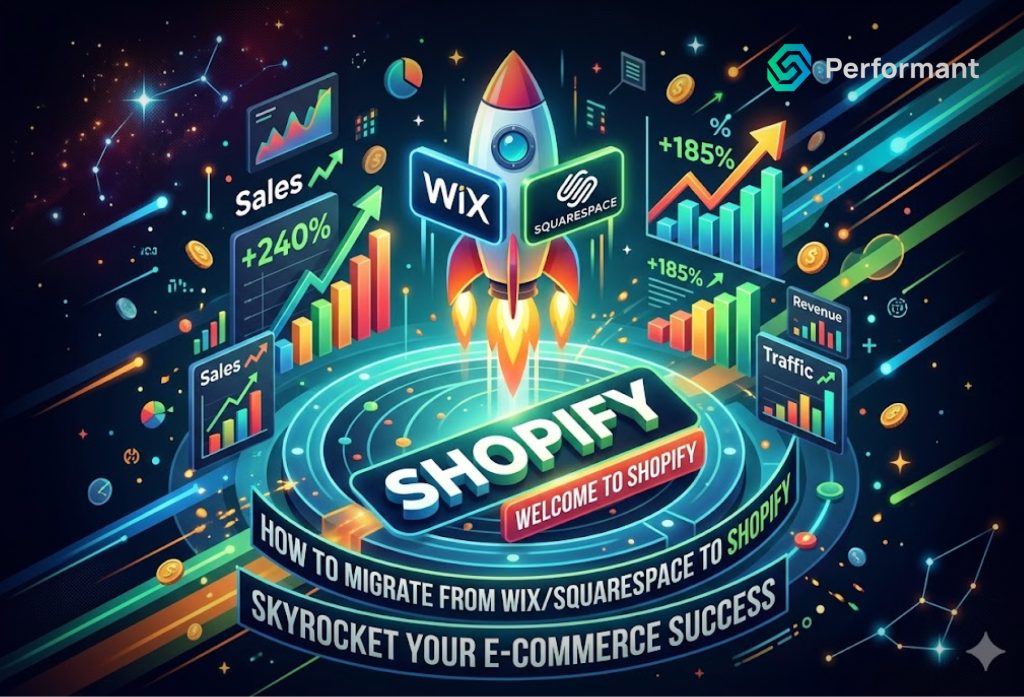
If your business has outgrown its current platform, you already sense it. Pages load a little slower than they should. The checkout process feels clunky. Adding a new product variant requires workarounds that never quite work. Whether you are running on Wix or Squarespace, there comes a point in every growing business where the platform that got you started is no longer the platform that will take you forward. Shopify is where that next chapter begins for most serious ecommerce operators. But the migration process moving your products, customers, orders, URLs, and design assets from one platform to another is a significant undertaking. Done carelessly, it can cost you search rankings, customer data, and weeks of revenue disruption. Done strategically, it is one of the most powerful investments you can make in your business infrastructure. This guide walks you through the full migration process in plain terms, so you can approach it with clarity and confidence whether you are managing it yourself or working with a team that provides Shopify store development services. Why Business Owners Make the Switch Before diving into the mechanics of migration, it is worth understanding what is actually driving the decision. Most business owners do not move platforms on a whim. They move because they have hit a ceiling. Wix was built as a general-purpose website builder. Its ecommerce capabilities were added over time rather than designed from the ground up. As a result, merchants who grow beyond a few hundred products begin to notice the friction: slower admin performance, limited variant options per product, a smaller app ecosystem, and payment processing that is not available in every market. Squarespace has similar constraints. It is a beautifully designed platform, well-suited for portfolio sites, creative agencies, and lifestyle brands but it was not engineered to handle the operational complexity of a scaling ecommerce business. Shopify, by contrast, was purpose-built for ecommerce from day one. It handles catalogues with thousands of products without performance degradation. Its checkout is among the highest-converting in the industry. Its app ecosystem exceeds 8,000 integrations. And critically, it scales from a small DTC brand all the way to enterprise-level operations through Shopify Plus often without requiring a platform change. The decision to migrate is rarely about features in isolation. It is about removing the friction that is quietly costing your business growth. Phase One: Audit Before You Act The most common migration mistake is moving too fast. Business owners, eager to get onto Shopify, begin exporting data before they have a clear picture of what they actually need to migrate and what they would rather leave behind. Before touching any export settings, conduct an honest audit of your current store. Review your product catalogue for outdated listings, duplicate SKUs, and products that are no longer relevant to your current business. Look at your blog content and identify what is performing organically and what can be retired. Review your customer data for accuracy. Pull a list of your highest-traffic URLs from Google Search Console these are the pages you absolutely cannot afford to lose redirects on. This audit phase also forces an important strategic decision: are you rebuilding your store design from scratch, or are you trying to replicate your existing look on Shopify? The honest answer is that you will almost always be rebuilding. Neither Wix nor Squarespace exports page layouts, design templates, or custom components in a format that Shopify can import. Your products and customer data can transfer. Your design cannot. That is not a setback, it is an opportunity. A migration is the right moment to audit your information architecture, rethink your navigation, and build a storefront that reflects where your business is today, not where it was when you first built that Wix site three years ago. Phase Two: Exporting Your Data From Wix Wix allows you to export products and customer contacts as CSV files. Navigate to your dashboard, go to the Products section, select all products, and use the Export function to download a CSV. For customer data, go to Contacts and export from there. Order history can also be exported from the Orders tab. One critical warning: Wix-hosted images become inaccessible the moment you cancel your subscription. Do not cancel your Wix account until after your new Shopify store has been fully built, tested, and live for at least two to four weeks. Download all product images to your local machine before you begin the migration process, not after. From Squarespace Squarespace provides a more structured export process for ecommerce data. Log into your store, navigate to Commerce, then to Inventory, and use the Export All function to download your product CSV. Separately, export your order history from the Orders section. These two files form the foundation of your data migration. Keep both files safely backed up in multiple locations. Treat them as mission-critical business assets, because they are. Phase Three: Setting Up Your Shopify Store Before importing any data, your Shopify environment needs to be configured correctly. This means selecting a pricing plan appropriate for your business scale, choosing and customising a theme, setting up payment gateways, configuring shipping zones and tax settings, and installing the foundational apps your store will need. This phase is where the complexity of a migration is most often underestimated. Importing a CSV file is relatively straightforward. But configuring the store’s underlying architecture its collection structure, its navigation logic, its checkout flow, its integration with email marketing and analytics requires deliberate planning. Many business owners at this stage choose to engage professional Shopify store development services. The reasoning is sound: the decisions made during store setup determine the performance ceiling of everything that follows. Getting the foundation right from the start is considerably less expensive than rebuilding it six months later. Phase Four: Importing Your Data into Shopify With your Shopify environment configured, you are ready to bring your data across. For product data, navigate to Products in your Shopify admin and use the Import function to upload
WooCommerce vs Shopify for Custom Workflows: A Developer’s View

Business owners rarely struggle with launching an online store. Modern platforms make that part accessible. The real friction begins later, when growth introduces complexity. Pricing rules become layered. Fulfillment expands across locations. Subscriptions evolve. B2B logic enters the mix. ERP systems must synchronize cleanly. At that stage, the question is no longer which platform looks better. The question is which platform supports custom workflows without creating operational risk. From a developer’s perspective, WooCommerce and Shopify represent two fundamentally different philosophies. Both can power serious businesses. Both can support custom workflows. The difference lies in how they handle control, governance, scalability, and long-term maintainability. For business owners evaluating the right foundation for complex operations, that distinction matters far more than surface-level features. Architectural Philosophy: Open Control vs Managed Governance WooCommerce is built on WordPress and operates as an open-source system. You control hosting, database configuration, server resources, plugin selection, and code modifications. Developers can override nearly any layer of the stack. This offers deep flexibility for custom workflows. Shopify operates as a managed SaaS platform. Infrastructure, hosting, security, and PCI compliance are abstracted away. Customization happens through structured extension points such as APIs, webhooks, Shopify Functions, and Liquid templates. You cannot modify core infrastructure, but you can extend within defined boundaries. From a business perspective, this translates into a trade-off between control and governance. WooCommerce gives you architectural freedom. Shopify enforces guardrails. Freedom can enable innovation, but guardrails can prevent costly instability. The right choice depends on your appetite for technical ownership. Custom Workflow Depth and Structural Flexibility Custom workflows are rarely cosmetic. They influence pricing logic, discount stacking, inventory routing, subscription management, customer segmentation, checkout validation, and post-purchase automation. These are revenue-critical systems. WooCommerce allows direct manipulation of database queries, custom tables, and checkout processes. If your business model is unconventional or deeply integrated with proprietary systems, this freedom can be advantageous. Developers can build virtually anything. However, flexibility without discipline often leads to plugin stacking and fragmented logic. Over time, many WooCommerce implementations accumulate overlapping plugins and custom code that degrade performance and complicate upgrades. Shopify approaches customization differently. You extend rather than override. Shopify development requires designing workflows that operate within platform APIs and serverless functions. While you cannot rewrite core checkout infrastructure arbitrarily, you can implement complex business logic using sanctioned tools. A seasoned Shopify development company understands how to push the platform strategically without violating its architectural principles. This structure often leads to cleaner long-term systems because modifications are constrained and therefore intentional. Performance Under Scale Performance is not merely a technical metric. It is a revenue multiplier. Slow load times reduce conversions and increase paid acquisition costs. WooCommerce performance depends heavily on hosting quality, database optimization, caching strategy, and plugin discipline. With a strong technical team, WooCommerce can scale effectively. Without disciplined engineering, it can degrade quickly under plugin expansion and database growth. Shopify removes infrastructure tuning from the merchant’s responsibility. Scaling during traffic spikes is handled by the platform. This stability is particularly valuable during promotions and high-volume campaigns. That does not mean Shopify is immune to performance issues. Excessive third-party apps can inject scripts that slow storefront rendering. Mature Shopify development practices focus on consolidating functionality and minimizing script load to preserve performance headroom. For business owners, the distinction is clear. WooCommerce demands ongoing infrastructure management. Shopify centralizes infrastructure but still requires thoughtful extension design. Integration Ecosystem and External Systems Modern commerce depends on integrations. ERP systems, CRM platforms, fulfillment providers, analytics tools, and marketing automation software must synchronize accurately. WooCommerce offers integration flexibility through plugins and direct API development. Because you control the entire environment, developers can create custom database-level integrations if necessary. This is powerful but increases maintenance responsibility. Shopify’s API ecosystem is mature and structured. REST and GraphQL APIs, webhooks, and middleware layers allow consistent integration patterns. When executed through professional Shopify development services, integrations are often centralized in middleware rather than embedded directly in the storefront. This structured approach reduces fragility. Business owners benefit from predictable integration behavior rather than scattered plugin dependencies. Governance, Security, and Compliance As revenue grows, risk tolerance declines. Security vulnerabilities and downtime become expensive. WooCommerce places security responsibility on the merchant and their development team. Core updates, plugin patches, server hardening, and PCI considerations require active oversight. For organizations with in-house technical leadership, this may be manageable. For others, it introduces exposure. Shopify centralizes security and PCI compliance. Core platform updates are handled automatically. This significantly reduces the operational burden. Custom code still requires oversight, but the foundational infrastructure remains stable. From a governance standpoint, Shopify’s managed model reduces systemic risk. Many business owners underestimate the value of that stability until a security incident occurs. Maintainability Over Time Custom workflows must evolve. Promotions change. Product lines expand. Market conditions shift. Maintainability determines how easily your system adapts. WooCommerce implementations can become fragile if built without architectural discipline. Direct file overrides and scattered custom scripts complicate future updates. Plugin compatibility issues may arise unexpectedly. Shopify’s guardrails encourage modular design. Shopify development teams typically build custom functionality as discrete services or apps rather than altering core files. This modularity supports long-term maintainability. For business owners planning multi-year growth, predictability matters more than theoretical flexibility. Total Cost of Ownership Platform comparisons often focus on subscription fees versus hosting costs. That comparison is incomplete. WooCommerce may appear less expensive initially. Hosting and plugin subscriptions can be modest. However, custom development, server optimization, security management, and ongoing maintenance add recurring costs. Shopify’s subscription pricing includes hosting, scaling, and security. While monthly fees are fixed, advanced custom workflows may require collaboration with a Shopify development company to design and implement correctly. A mature evaluation should consider three cost layers: Over a three-to-five-year horizon, managed stability often offsets higher monthly fees through reduced operational volatility. Control vs Focus Business owners must decide whether technology management is a core competency or a support function. WooCommerce offers deep control. That control is valuable if technology itself differentiates your business model. If you
When to Replace Shopify Apps with Custom Development
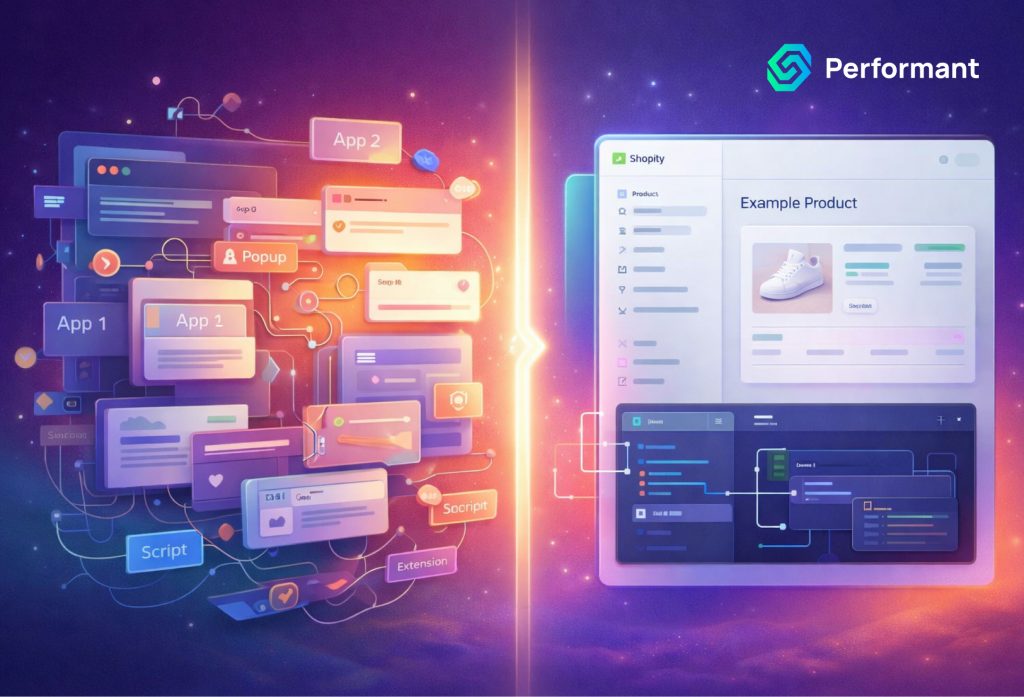
For most brands, Shopify apps are the fastest way to unlock functionality. You install, configure, and move on. In early growth stages, this speed is exactly what you need. But as stores mature, complexity compounds. What started as a handful of helpful tools can quietly become an unstable stack of overlapping logic, duplicated scripts, and rising subscription costs. This is the inflection point where founders begin questioning their reliance on shopify apps. Not because apps are bad, but because quick wins sometimes become long-term liabilities. As a senior engineering team that regularly replaces fragile app ecosystems with maintainable systems, we have seen the pattern repeatedly. The goal is not to remove apps for the sake of control. The goal is to reduce technical drag, regain performance headroom, and align the technology layer with business strategy. This article outlines when custom shopify development makes sense, how to evaluate the economics, what to replace first, and how to execute an app replacement strategy without risking revenue. Apps Are Accelerators, Not Infrastructure Apps are powerful because they compress time. Instead of building from scratch, you leverage shared development across thousands of merchants. That model works exceptionally well for common needs like email capture, reviews, analytics, shipping labels, or loyalty points. The issue arises when growth introduces unique workflows. Mature stores often discover that multiple apps are solving adjacent problems in slightly different ways. Over time, this produces performance strain, script conflicts, and operational inconsistencies. The conversation about shopify app limitations typically surfaces when founders notice symptoms such as slower page loads, checkout friction, data mismatches between systems, or escalating monthly subscription costs. The underlying problem is not that apps are inherently flawed. It is that your business may have outgrown generic tooling. At scale, infrastructure needs shift from speed of installation to stability and alignment. Replacement Trigger 1: Performance Degradation Performance is often the first measurable signal. Each installed app can inject scripts, load assets, and introduce API calls. Individually, the impact may be minimal. Collectively, the effect can slow product pages, delay cart interactions, or degrade checkout experience. If your store is heavily reliant on front-end injected scripts for personalization, bundling, upsells, or dynamic pricing, you may experience diminishing returns. Performance issues directly affect conversion rates and advertising efficiency. Paid traffic becomes more expensive because fewer visitors convert. Replacing critical performance-impacting features with optimized custom logic can reduce script weight and centralize functionality. A tailored implementation ensures only necessary code runs, rather than loading generalized features designed for broad merchant bases. When revenue is directly impacted by load time, it is no longer a tooling discussion. It is a profitability discussion. Replacement Trigger 2: App Conflicts and Workflow Fragility As app count increases, so does the probability of conflict. Two discount engines may attempt to override cart logic. A bundling tool may interfere with subscription billing. Inventory syncing apps may compete with ERP integrations. These conflicts create silent operational risk. They often surface during peak traffic or promotional periods, when downtime is most expensive. We frequently encounter stores suffering from what can be described as shopify tech debt apps. Each app solved a short-term need. None were architected together. The result is layered complexity that makes even minor changes risky. When updates require testing across multiple app dashboards, and troubleshooting involves contacting several vendors, the stack has reached fragility. Custom consolidation can eliminate overlapping logic and centralize business rules in one maintainable layer. Replacement Trigger 3: Vendor Risk and Dependency Another overlooked factor is vendor stability. Apps can change pricing models, reduce support quality, pivot their product focus, or shut down entirely. Mature stores cannot afford strategic dependence on uncertain third parties. Vendor risk becomes significant when a single app controls revenue-critical processes such as subscription billing, discount engines, or order routing. If that vendor introduces breaking changes or increases pricing dramatically, the business is exposed. Custom shopify app replacement strategies reduce this dependency by internalizing core logic. This does not mean eliminating all third-party tools. It means controlling the systems that directly impact margin, customer experience, and data integrity. When business continuity matters more than convenience, ownership becomes valuable. Replacement Trigger 4: Unique or Complex Workflows Generic apps are designed for broad applicability. If your operations are highly specialized, you may constantly be bending app configurations to approximate your needs. Examples include advanced pricing rules, multi-layer bundling logic, complex B2B quoting systems, custom fulfillment routing, or unique subscription mechanics. When internal teams are building workarounds outside the platform to compensate for app rigidity, it is a strong indicator that custom systems are warranted. This is where custom shopify solutions become strategic. Rather than adapting your business to software constraints, you align software to business requirements. Over time, this alignment reduces friction across marketing, operations, and finance. If your team spends more time managing exceptions than running campaigns, your stack is misaligned. Replacement Trigger 5: Cost Crossover Point Subscription cost accumulation is not always obvious. A store running fifteen apps at moderate monthly fees may be paying thousands annually. Add in revenue share fees or usage-based pricing, and the number climbs. However, raw subscription cost is only part of the equation. The more significant cost is opportunity. If apps limit experimentation speed, delay deployments, or restrict integration with internal systems, they slow growth. The crossover point occurs when the cumulative subscription expense plus operational inefficiency approaches the cost of building and maintaining a custom system. This is where economic modeling becomes critical. The Economics Framework: Subscription vs Maintenance vs Opportunity Cost Replacing shopify apps with custom systems requires financial clarity. Founders should evaluate three dimensions. First is direct subscription cost. Calculate annual spending across all relevant apps. Include base fees, usage fees, and revenue share models. Second is maintenance cost. Custom systems require development time for initial build and ongoing support. However, maintenance is predictable and aligned with your priorities, not a vendor’s roadmap. Third is opportunity cost. This is often the largest factor. If your team delays launching promotions because
Shopify AI Integrations: Practical Use Cases That Actually Work
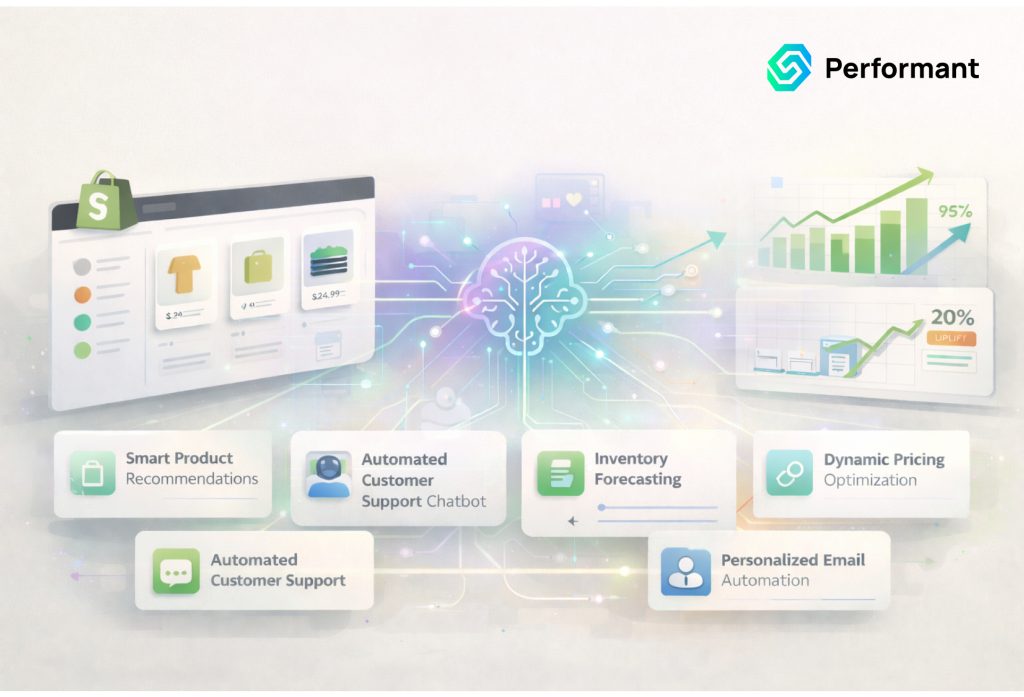
Artificial intelligence only becomes valuable in commerce when it is attached to a real workflow. It is not valuable because it writes clever product descriptions in a demo or generates impressive predictions on a slide. For founders building and scaling on Shopify, especially those working with a reliable Shopify development company, AI matters when it reduces operational cost, improves speed of execution, increases conversion efficiency, or lowers risk. Everything else is experimentation without accountability. We say this from experience. As a team that has implemented production-grade ai integrations inside live ecommerce environments, we have seen what creates measurable return and what quietly wastes time. The difference is almost always the same. AI works when it is embedded into structured operational flows. It fails when it is bolted on as a novelty feature. If you are a founder interested in AI but skeptical about the promises, you are asking the right question. The goal is not to adopt AI. The goal is to strengthen the business. This article walks through practical shopify ai use cases that consistently deliver ROI, explains what does not work and why, and outlines a feasibility framework you can use before allocating budget. AI Delivers ROI When It Removes Workflow Friction Ecommerce businesses are not built on features. They are built on processes. Orders move through fulfillment pipelines. Tickets move through support queues. Products move from supplier feeds to published listings. Reports move from raw data to decision meetings. Every one of these processes includes repetitive decisions that consume time. The most effective ai workflows for ecommerce do not start at the storefront. They start behind the scenes. They accelerate repetitive analysis, classify predictable patterns, and surface structured recommendations that humans approve. When AI is tied to workflows, it becomes a multiplier. When it is tied to surface-level engagement experiments, it becomes unpredictable. Let us examine the practical use cases that consistently work. Support Triage and Intelligent Ticket Routing Customer support is one of the most straightforward and profitable applications of shopify automation ai. Most Shopify brands receive predictable categories of tickets. Customers ask about shipping status, return eligibility, restock timing, or order modifications. These questions follow patterns that are easy to detect. In a production environment, AI reads incoming messages, classifies intent, extracts relevant order identifiers, and suggests a structured draft response. It routes tickets to the appropriate queue based on risk level and policy sensitivity. High-risk cases such as refund disputes remain under human control. Low-risk informational requests can be resolved faster. The result is not a replacement of support agents but an acceleration of their throughput. First response times improve. Manual tagging disappears. Escalations decline because tickets are routed correctly the first time. This is one of the strongest ai for shopify stores applications because it operates within clear guardrails. Historical ticket data provides training patterns. Risk is manageable. Human oversight remains intact. The outcome is measurable in cost per ticket and response speed. Product Data Enrichment and Catalog Structuring As product catalogs grow, inconsistencies multiply. Titles vary in structure. Attributes are incomplete. Descriptions lack uniform formatting. Filtering becomes unreliable, and internal search performance suffers. Marketing campaigns struggle because metadata is fragmented. AI performs exceptionally well in pattern normalization. In production workflows, AI systems ingest raw product data and generate structured attributes, feature bullet summaries, standardized specifications, and SEO-aligned descriptions. Merchandisers review and approve outputs before publication. The advantage is speed. Instead of manually rewriting thousands of SKUs, teams focus on validation and strategic decisions. Catalog consistency improves across the board. Better data structure strengthens search filtering, collection accuracy, and advertising feeds. This is one of the most overlooked yet high-impact shopify ai use cases because it improves the foundation of the store rather than adding surface-level features. When data improves, every downstream system benefits. Fraud Signal Augmentation and Risk Scoring Fraud management is another area where disciplined ai integrations produce strong returns. Most Shopify stores rely on third-party risk scoring tools, yet manual review still consumes time and introduces inconsistency. AI can aggregate transactional signals, behavioral anomalies, address mismatches, velocity spikes, and historical dispute patterns. Instead of automatically canceling orders, it generates a contextual risk explanation and score to assist human review. This approach reduces false positives and helps teams focus on genuinely suspicious orders. It preserves revenue while maintaining protection. Fraud workflows work well because signals are structured and decisions can be threshold-based. The AI augments judgment rather than replacing it. That balance keeps risk manageable while increasing efficiency. Merchandising Operations and Inventory Optimization Merchandising is often more manual than founders realize. Teams analyze sales velocity, move products between collections, highlight specific SKUs, and respond to aging inventory. Much of this analysis happens in spreadsheets disconnected from live decision-making. AI can monitor sell-through rates, margin profiles, inventory levels, and conversion performance in real time. It can recommend promotional adjustments, identify underperforming products early, and surface high-margin items deserving greater visibility. Merchandisers remain in control, but decision cycles shorten. Instead of reacting weeks later to slow-moving stock, teams receive early signals. This is where many conversations about shopify ai personalization become misdirected. Founders sometimes attempt deep visitor-level personalization before optimizing global merchandising logic. In practice, improving overall product prioritization and inventory response often produces larger financial gains with less complexity. Merchandising intelligence is practical because it is measurable. Inventory turnover, gross margin, and conversion rate provide clear feedback loops. Content Quality Assurance and Compliance Monitoring As brands scale, content risk increases. Product claims may become inconsistent. Regulatory disclaimers may be missing. Pricing references may not match current policies. Duplicate content can quietly damage search visibility. AI can continuously scan product pages, blogs, and policy documents to detect anomalies. It can flag inconsistent claims, missing required language, formatting errors, or duplicated descriptions. Teams review flagged issues before changes are made. This workflow reduces compliance exposure and protects SEO health. It also ensures brand messaging remains consistent as the catalog grows. Content QA may not be as visible as storefront personalization, but it is
Why Page Builders Hurt Shopify Performance More Than You Think
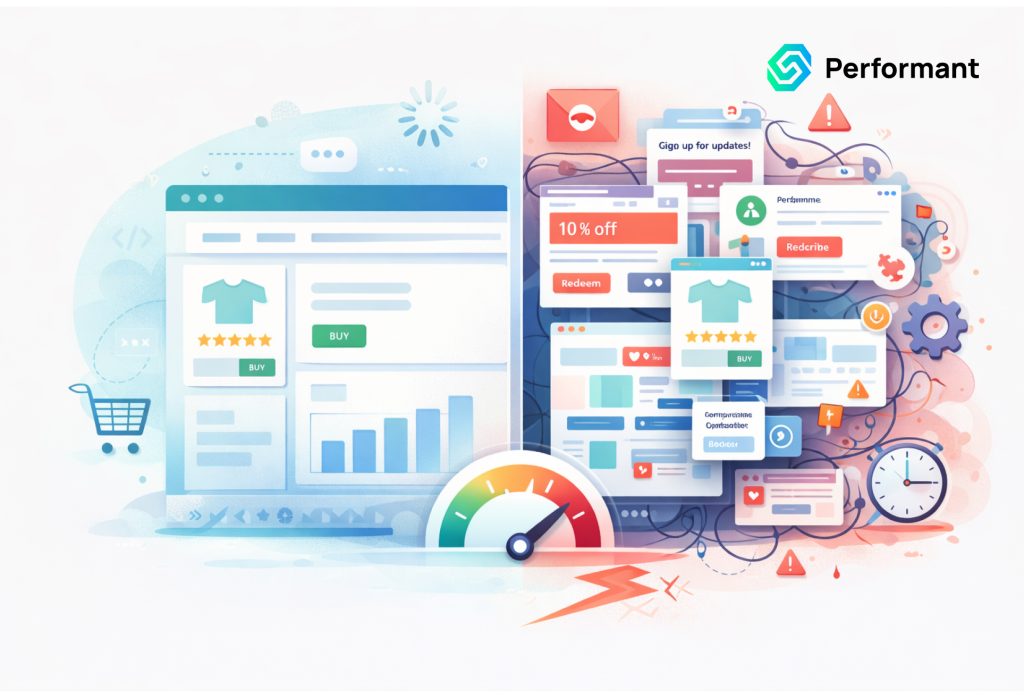
If you’re a founder using a shopify page builder to launch campaigns faster, you’re not wrong. They feel efficient. Marketing can move without Shopify developers. Landing pages ship in hours instead of weeks. But here’s the uncomfortable truth: Performance loss is a margin tax. Every extra second your store takes to load quietly increases acquisition costs, reduces conversion rate, lowers ROAS, and inflates bounce rate. You don’t see it as a direct expense on your P&L, but it compounds across every paid click. As a performance engineer who has diagnosed and contained dozens of builder-heavy Shopify stores, I can tell you this: most founders underestimate the structural cost of convenience. This article breaks down: No vendor talk. No hype. Just operational reality. Performance Loss Is a Margin Tax When you scale ads, small inefficiencies become expensive. Let’s say: That “minor” drop costs thousands per month. Often, the cause is not product-market fit. It’s not creative fatigue. It’s not even pricing. It’s page weight, script execution time, and layout instability caused by builder architecture. Performance isn’t cosmetic. It’s financial infrastructure. How a Shopify Page Builder Slows Stores Most founders think page builders are just visual layout tools. They’re not. They are runtime engines layered on top of your theme. Here’s what that means in practical terms. 1. Excessive Script Loading A typical shopify page builder injects multiple JavaScript bundles into every page it controls. These scripts: Even if your page only uses 30% of builder features, 100% of the core runtime often loads. The result: This is a common root cause of “page builder slow shopify” complaints. 2. DOM Bloat Builders generate nested containers to support drag-and-drop flexibility. Instead of: Section – Row – Content You often get: Section – Wrapper – Container – Flex Row – Column – Inner Column – Block – Text Wrapper – Text Multiply that across 40-60 sections on a long-form page and you get: Mobile devices suffer the most. This is one of the core shopify page builder issues affecting Core Web Vitals. 3. Render-Blocking Behavior Some builder scripts: That leads to: This is where shopify core web vitals page builder problems begin to show up in Lighthouse and Search Console. You don’t just lose speed. You lose stability. 4. Duplicated CSS and JS Because builders operate independently from your theme: Now add: You’re stacking multiple runtime systems on top of each other. The site becomes a script marketplace instead of a coherent application. This is one of the most overlooked shopify page builder drawbacks. The Hidden Costs Beyond Speed Speed is only half the story. Builder-heavy stores also suffer operational damage. 1. Inconsistent User Experience Because builders allow full design flexibility: This inconsistency reduces trust. Users subconsciously notice when a store feels stitched together. Brand credibility suffers. 2. QA Overhead Increases When marketing can change layout without technical oversight: Founders don’t notice until: Then the debugging begins. This is where shopify page builder issues become operational debt. 3. Fragile Updates Theme update? Something breaks. App update? Styling shifts. Builder update? Custom CSS overridden. You end up in a fragile state where: Ironically, the tool meant to increase speed reduces it long term. 4. Analytics Noise Builders often: This leads to: If your measurement layer is unstable, you can’t optimize confidently. Performance engineering isn’t just about load time. It’s about data integrity. Why Shopify Site Speed Builders Hit Harder at Scale Small stores don’t always feel the pain. But once you scale: Now your shopify site speed builders issue compounds. The system that worked at $20K/month becomes fragile at $200K/month. Scaling exposes structural weakness. Decision Framework: When Are Builders Acceptable? Let’s be balanced. A shopify page builder isn’t always wrong. Here’s when it makes sense: Acceptable Use Cases In these cases, speed of execution matters more than perfect architecture. But here’s the line: If the builder becomes core infrastructure not just experimentation you’re taking on technical debt. When It’s Time to Move to Theme Sections or Custom You should strongly consider migrating when: At this stage, builder convenience is costing you margin. The Mitigation Roadmap (Without a Full Rebuild) Good news: You don’t have to rip everything out tomorrow. Here’s how I typically contain builder damage. 1. Isolate Builder Usage Don’t let it control: Keep it limited to campaign landing pages. Reduce systemic impact. 2. Remove Unused Features Audit: Disable what isn’t actively needed. Most stores run 30 – 40% unused builder logic. 3. Consolidate CSS and Fonts Eliminate: Unify styling under your theme where possible. 4. Prioritize Core Web Vitals Focus on: You don’t need perfect scores. You need commercial performance stability. 5. Gradually Rebuild High-Revenue Pages Start with: Rebuild them natively inside theme sections. Reduce runtime dependency over time. 6. Implement Script Governance Every script should answer: If not, it shouldn’t be there. The Real Trade-Off Builders trade: Non-technical founders often optimize for speed of deployment. But when scaling, you must optimize for speed of experience. There’s a difference. A fast marketing team doesn’t matter if the site is slow. The Founder’s Perspective: What You Should Actually Do Be honest with yourself: You don’t need to become technical. But you do need visibility. If you’re spending aggressively on traffic and not auditing performance architecture, you’re flying blind. Performance Is Revenue Infrastructure A shopify page builder isn’t evil. It’s a tool. But tools used beyond their intended scope create drag. If your store feels: Builder architecture is often part of the equation. The fix doesn’t require panic. It requires clarity. Soft Next Step: Shopify Performance Cleanup Audit If you’re unsure whether your store is paying a hidden performance tax, a structured performance review can surface: A Shopify Performance Cleanup Audit doesn’t just give you speed scores. It gives you a prioritized roadmap tied to revenue risk not vanity metrics. Because at scale, performance isn’t technical. It’s financial. And ignoring it gets expensive. Conclusion In the end, a page builder is not the enemy unmanaged complexity is. What starts as a fast marketing shortcut